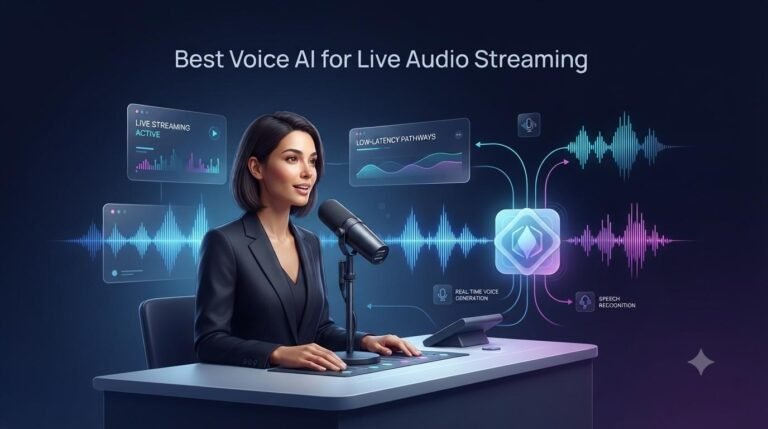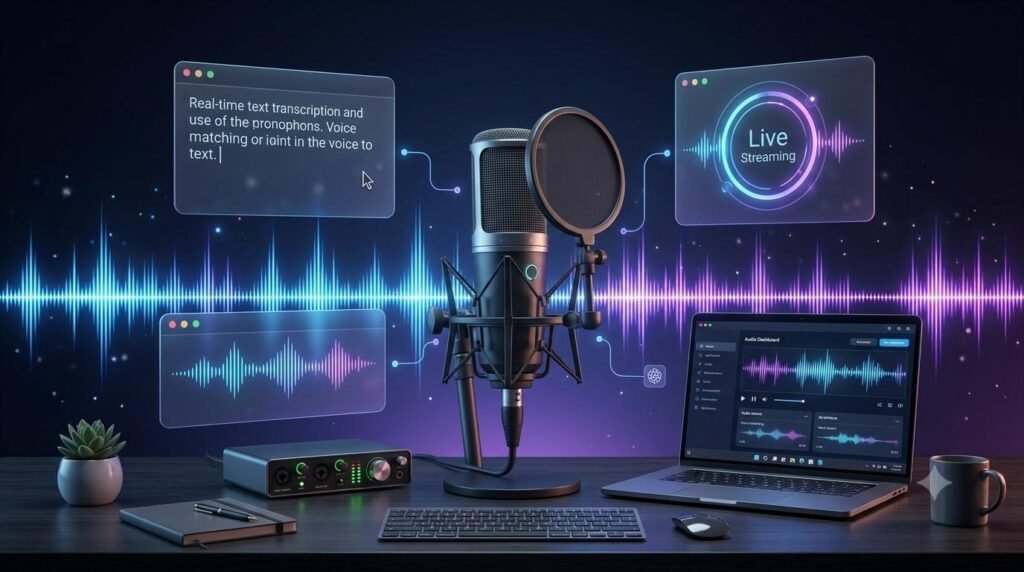
Voice AI for Live Audio Streaming is becoming increasingly useful for applications that need to listen, understand, and respond to people while an audio conversation is still happening. From real-time customer support and virtual assistants to interactive learning and live communication, modern voice AI technology is making spoken interactions more natural and responsive.
Unlike traditional text-to-speech tools that generate audio from completed text, live voice AI systems can process incoming speech, interpret what a person says, and generate spoken responses during an ongoing interaction. The quality of that experience depends on several factors, including latency, audio processing, speech recognition, response generation, and streaming reliability.
But which voice AI technology is suitable for live audio streaming? The answer depends on what you are building. A live conversational assistant has different requirements from a tool that simply streams generated narration or converts speech into captions.
This guide explains how real-time voice AI works, which features matter, what solutions developers can explore, and how to choose the right technology for a live audio application.
Table of Contents
ToggleWhat Is Voice AI for Live Audio Streaming?
Voice AI for live audio streaming refers to technology that processes and generates speech continuously or in small audio segments rather than waiting for an entire recording or text response to be completed.
For example, imagine a customer speaking to an AI assistant through a website. The system receives the customer’s voice, processes the speech, understands the request, and responds with generated audio. The interaction can continue naturally, allowing the customer to ask follow-up questions or interrupt when necessary.
Depending on the application, a live voice AI system may include:
Speech recognition: Converts incoming spoken words into text or processes audio directly.
AI language processing: Understands the user’s request and determines an appropriate response.
Speech generation: Converts the AI response into spoken audio.
Audio streaming: Transfers incoming and outgoing audio while the session is active.
Conversation management: Handles pauses, interruptions, turn-taking, and session context.
Some modern speech-to-speech systems can process audio directly without requiring a separate text-to-speech step after every response. This can help create a more immediate conversational experience.
How Does Real-Time Voice AI Streaming Work?
A real-time voice AI application generally follows a continuous audio-processing workflow. The exact architecture varies depending on the platform and the type of application.
1. Capture Live Audio
The process begins when a microphone, phone system, or another audio source captures a person’s speech. The application sends the audio to the voice AI service through a supported streaming connection.
2. Process and Understand Speech
The system analyzes the incoming audio. It may use automatic speech recognition (ASR) to produce text, or a speech-to-speech model may process the audio directly.
The technology also needs to identify when a person starts or stops speaking. Voice Activity Detection (VAD) can help determine when an utterance is complete and when the AI should respond.
3. Generate an AI Response
After understanding the request, the AI model prepares a response. In a conversational application, this may involve retrieving information, following instructions, or calling an external tool.
4. Stream Generated Speech
The response is converted into audio. Instead of waiting for the entire audio file, a streaming system can deliver audio in chunks so playback can begin earlier.
5. Manage the Conversation
A useful live voice application must handle interruptions, pauses, follow-up questions, and connection issues. For example, if a user starts speaking while the AI is responding, the system should be able to manage that interruption appropriately.
Voice AI for Live Audio Streaming helps applications process spoken input and deliver responses while an audio session is still active.
Essential Features of a Good Live Audio Streaming Voice AI
Not every AI voice platform is designed for continuous, interactive streaming. Before selecting a solution, evaluate the following features.
1. Low Latency and Fast Response Time
Latency is the delay between a user’s speech and the AI’s response. Excessive delay makes conversations feel unnatural, even when the generated voice sounds realistic.
For a live application, evaluate the complete time-to-first-audio rather than looking only at a model’s advertised generation speed. Network distance, server processing, buffering, and application design can all affect the actual experience.
2. Continuous Audio Streaming
A suitable platform should support the streaming workflow your application needs. Depending on the service, this may involve HTTP streaming, WebSockets, WebRTC, or another supported connection method.
Bidirectional streaming is especially useful when an application needs to send audio to the AI and receive generated audio during the same active session.
3. Natural Speech Generation
A live AI assistant should produce clear and understandable speech. Voice quality, pronunciation, pacing, language support, and the ability to communicate naturally can all influence the user experience.
A realistic voice alone is not enough. The system must also respond at an appropriate speed and maintain a comfortable conversational flow.
4. Speech Recognition and Language Support
If the application needs to understand spoken questions, check its speech recognition capabilities. Consider supported languages, accents, background noise handling, and recognition accuracy.
Test the platform with the actual languages and speaking conditions expected from your users.
5. Interruption Handling and Turn-Taking
People do not always wait for an AI assistant to finish speaking. They may interrupt, correct themselves, or ask another question.
Look for features such as voice activity detection, automatic turn detection, response cancellation, and conversation-state management.
6. Reliable Connections and Scalability
A live audio application should maintain stable connections and recover gracefully from temporary network problems. If you expect many users, also investigate concurrent session limits, rate limits, service availability, and scaling requirements.
7. Developer Tools and Integration
Check whether the platform provides clear documentation, SDKs, APIs, authentication methods, sample applications, and support for your preferred programming environment.
A technically impressive model may still be difficult to use if its integration process does not fit your application.
Which Voice AI Solutions Can Support Live Audio Streaming?
Several platforms provide technologies that developers can explore for real-time speech applications. They do not all serve the same purpose, so the right choice depends on whether you need a complete conversational agent, streamed speech generation, or a custom audio pipeline.
1. OpenAI Realtime API
The OpenAI Realtime API is designed for applications that need real-time speech-to-speech interaction. It supports conversational audio sessions, audio input and output, and capabilities such as tool use and interruption handling.
Developers can connect using supported methods such as WebRTC or WebSockets. OpenAI’s documentation describes WebRTC for browser-based audio experiences and WebSockets for server-side integrations.
Potential use cases:
Interactive AI voice assistants
Real-time customer conversations
Voice interfaces for web and mobile applications
Applications that need speech-to-speech interaction
What to evaluate: Model availability, supported session features, pricing, connection requirements, usage limits, and the complexity of integrating the API.
Official resource: OpenAI Realtime API Documentation
2. ElevenLabs Streaming and Conversational AI
ElevenLabs offers audio generation technology and conversational AI capabilities. Its streaming documentation describes HTTP streaming for cases where the complete text is already available and WebSocket streaming for sending text incrementally while audio is being generated.
This distinction matters when building a live voice pipeline. With incremental input, audio generation can begin before the complete response has been produced by the upstream language model.
Potential use cases:
Streaming AI-generated speech
Voice-enabled applications
Interactive conversational experiences
Applications requiring customized AI voices
What to evaluate: Voice quality, streaming behavior, language support, integration options, usage costs, and whether the required conversational features are included in the selected product.
Official resource: ElevenLabs Audio Streaming Documentation
3. Microsoft Azure AI Speech
Microsoft Azure AI Speech provides speech-related services that developers can use in applications involving speech recognition and speech generation. It can be considered when building a custom speech-processing workflow within the Azure ecosystem.
For real-time conversational applications, developers should evaluate the available speech services and the architecture needed to connect recognition, AI response generation, and speech output.
Potential use cases:
Speech-enabled business applications
Voice interfaces
Speech recognition and generated audio workflows
Applications already using Microsoft Azure services
What to evaluate: Supported languages, service availability in your region, SDK compatibility, pricing, and the amount of custom development required.
Official resource: Azure AI Speech Documentation
4. Deepgram Speech APIs
Deepgram provides speech technology that developers can evaluate for speech recognition and audio-related workflows. Streaming speech recognition is particularly relevant when an application needs incremental transcripts from an ongoing audio stream.
It can be useful as one component in a larger voice AI architecture. For example, a developer may connect streaming transcription to a language model and then use a separate text-to-speech service to generate the spoken response.
Potential use cases:
Live speech transcription
Voice-enabled applications
Real-time audio processing pipelines
Applications that combine speech recognition with other AI services
What to evaluate: Streaming transcription performance, supported languages, audio formats, integration requirements, and the additional services needed to complete a conversational system.
Official resource: Deepgram Documentation
Real-Time Voice AI vs. Traditional Text-to-Speech
Real-time voice AI and traditional text-to-speech technology are related, but they are not interchangeable.
| Feature | Real-Time Voice AI | Traditional Text-to-Speech |
|---|---|---|
| Main purpose | Interactive spoken conversations | Convert text into speech |
| Input | Live audio, text, or both | Usually prepared text |
| Output | Context-aware responses and audio | Generated speech |
| Interaction | Can support ongoing conversations | Usually one-way generation |
| Interruptions | May support turn-taking and interruption handling | Not generally a conversational feature |
| Typical use | Voice assistants and live support | Narration, audio articles, and voiceovers |
A text-to-speech service can still be part of a real-time voice AI application. The difference is that a complete conversational system also needs to understand the user, decide what to say, and manage the interaction.
Common Use Cases of Live Audio Streaming Voice AI
1. Real-Time Customer Support
Businesses can use voice AI assistants to answer common questions, guide customers through basic processes, and route more complicated requests to human support agents.
2. Interactive Learning and Education
Voice-enabled learning applications can let students ask questions aloud and receive spoken explanations. This may be useful for language practice, tutoring, and hands-free learning experiences.
3. Virtual Assistants
Developers can build assistants that respond to spoken instructions, retrieve information, and interact with connected services.
4. Live Transcription and Accessibility
Streaming speech recognition can support live captions, meeting transcripts, and accessibility features. These applications may not need an AI-generated spoken response at all.
5. Real-Time Translation
A live audio workflow can combine speech recognition, translation, and speech generation to support multilingual communication. The delay and accuracy of each stage should be tested carefully.
6. Interactive Media and Entertainment
Voice AI can support conversational characters, interactive audio experiences, and applications where users speak directly with digital characters.
How to Choose the Right Voice AI for Live Audio Streaming
There is no single platform that is automatically best for every live audio application. Start by identifying the main job your system needs to perform.
For a complete speech-to-speech assistant: Explore a real-time conversational API such as OpenAI Realtime.
For streamed AI voice generation: Explore ElevenLabs streaming capabilities, particularly if you already have text that needs to be converted into audio incrementally.
For speech recognition and transcription: Evaluate speech APIs such as Deepgram or Azure AI Speech.
For a custom business application: Compare integration options, supported languages, security requirements, scalability, and the effort required to connect the different services.
Before making a decision, test each shortlisted solution with the same sample audio, network conditions, language, and conversation scenario. Compare actual response time, transcription quality, voice clarity, interruption handling, and total operating cost.
Choosing Voice AI for Live Audio Streaming requires evaluating response speed, audio quality, integration options, and reliability.
Challenges and Limitations of Live Voice AI
Live audio streaming can create a more interactive experience, but it also introduces technical and practical challenges.
Network delays: Poor connectivity can interrupt audio or increase response time.
Background noise: Noisy environments may reduce speech recognition accuracy.
Unexpected interruptions: The application must manage users speaking over the AI or changing their requests.
Operating costs: Continuous audio sessions and high usage can increase API expenses.
Privacy and security: Microphone access, recordings, transcripts, and personal information need appropriate safeguards.
Language and accent differences: Performance may vary across languages, accents, and speaking styles.
Integration complexity: A complete voice application may require multiple services, streaming connections, and session management.
For these reasons, developers should test a working prototype before committing to a platform for a large-scale application.
Frequently Asked Questions
The right technology depends on the application. A real-time speech-to-speech API may suit interactive voice assistants, while streaming text-to-speech services can suit applications that need to generate audio from incoming text. Speech recognition APIs are useful for live transcription.
Low-latency voice AI aims to reduce the delay between a user’s spoken input and the system’s response. Lower delay can make a voice interaction feel more natural, although actual performance also depends on the network and application architecture.
WebRTC is commonly used for real-time communication between browsers and applications. WebSockets provide a persistent connection that can exchange audio data and events between a client and server. The best option depends on the platform’s supported connection methods and the application’s requirements.
Some real-time voice systems support overlapping listening and speaking workflows, including interruption handling. The exact behavior depends on the model, session configuration, and application implementation.
Yes. It can support automated customer conversations, common questions, and basic assistance. Businesses should also plan for escalation to human agents, privacy safeguards, and reliable handling of complex requests.
Using a ready-made voice assistant may not require programming. However, building a custom live audio streaming application with APIs, audio connections, and conversation management generally requires development work.
It can be, depending on the service, audio duration, model, and usage pattern. Compare the complete cost of input audio, generated audio, model processing, and supporting services before choosing a solution.
Final Thoughts
Live audio streaming voice AI is not simply about generating a realistic voice. A useful system must understand spoken input, respond with minimal delay, stream audio reliably, and manage a conversation naturally.
OpenAI Realtime, ElevenLabs streaming, Microsoft Azure AI Speech, and Deepgram offer different capabilities that can contribute to real-time voice applications. The best option depends on whether you need speech-to-speech conversations, streamed speech generation, speech recognition, or a combination of these technologies.
Start with a clear use case, compare the features that matter, and test the complete experience before selecting a platform. A well-designed voice AI system should make communication easier for users—not just make an AI voice sound more realistic.
Related Guides
Explore more practical guides and reviews to understand AI voice technology and make informed decisions.
ElevenLabs Products & Features
Explore ElevenLabs voice generation, conversational AI, creative tools, and developer features in our detailed evaluation
AI Text-to-Speech Guide
Understand how AI converts written text into natural-sounding speech and explore its features, applications, and limitations.
AI Voice Cloning Guide
Learn how AI voice cloning works, discover its practical applications, and understand the importance of consent and responsible use.
Explore More Free Tools & Utilities
Looking for more helpful online tools? Visit our Free Tools & Utilities page to discover a collection of free calculators, productivity tools, and useful online utilities designed to make your everyday tasks easier.
Explore More Digital Tools at DigiMarket
Looking for more useful digital resources and productivity solutions? Explore DigiMarket – The Marketplace for Digital Treasures to discover digital products, practical resources, and tools designed to support your online work and learning.
Whether you are exploring digital resources for business, marketing, or productivity, DigiMarket offers a growing collection of useful digital solutions.
Learn More with Prernaa
Want to improve your digital skills and learn practical ways to work smarter? Explore Prernaa – Inspiring Learning for useful learning resources, practical guides, and educational content.
Discover helpful information that can support your personal learning and digital growth.