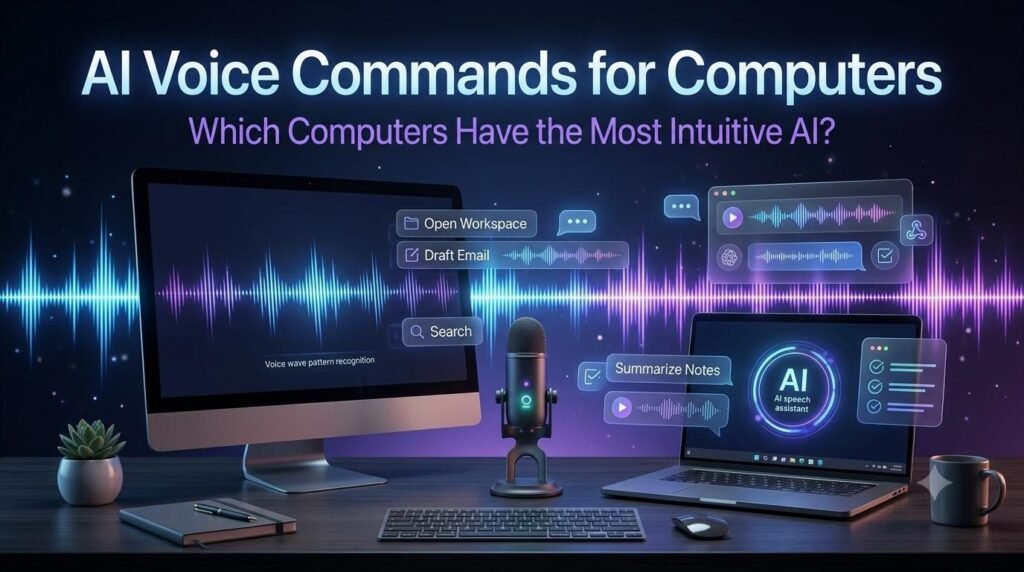
Computers are becoming easier to interact with through voice, thanks to improvements in speech recognition, artificial intelligence, and natural language processing. Instead of relying entirely on a keyboard and mouse, users can increasingly speak to their computers to dictate text, control settings, ask questions, and interact with digital assistants. But which computers have the most intuitive AI for voice commands?
The answer depends on what you expect a computer to do. Some systems are better at hands-free accessibility and navigation, while others focus on AI conversations, productivity assistance, and speech-to-text features.
Windows PCs, Copilot+ PCs, and Apple Mac computers all offer different approaches to voice interaction. The best choice depends on your preferred operating system, daily tasks, language requirements, privacy expectations, and the level of control you need.
This guide compares the main computer platforms, explains their voice capabilities, and helps you decide which type of computer may be suitable for your needs.
Modern AI voice commands can make everyday computer tasks easier by allowing users to interact with digital assistants, dictate text, and access supported system features through speech.
Table of Contents
ToggleWhat Makes a Computer Good for AI Voice Commands?
A computer with intuitive AI voice commands should make spoken interaction feel natural, reliable, and easy to use.
However, voice interaction involves several different technologies. A computer may offer excellent dictation but limited control over applications. Another may provide a conversational AI assistant but require a separate feature for hands-free navigation.
Here are the most important factors to consider.
1. Accurate Voice Recognition
A useful voice system should understand spoken words accurately, even when users speak at different speeds or use different accents.
Recognition quality can depend on microphone quality, background noise, language support, and the software being used.
2. Natural Language Understanding
Traditional voice commands often require specific phrases. Modern AI assistants can understand more conversational requests.
For example, instead of remembering a particular command, a user may ask an assistant to explain a setting or help complete a task.
The actual actions available depend on the assistant and its integrations.
3. Hands-Free Computer Control
Some users want to open applications, navigate menus, select buttons, dictate text, and control their computers without touching a keyboard or mouse.
This requires dedicated voice-control or accessibility features rather than a conversational assistant alone.
4. Application Integration
Voice interaction becomes more useful when it works with everyday applications such as browsers, document editors, email clients, and productivity software.
Users should check whether the voice system can perform actions across applications or only within its own interface.
5. Language and Accent Support
Language support is particularly important for users who prefer speaking in their native language.
Before choosing a computer, check whether its voice-control and AI features support your preferred language, regional accent, and speech-recognition requirements.
6. Privacy and Security
Voice assistants may process audio locally, through cloud services, or through a combination of both.
Users should understand microphone permissions, voice activation settings, audio processing, and data retention policies before enabling always-available voice features.
Which Computers Offer Intuitive AI Voice Commands?
There is no single computer that is automatically the best for every voice-command task. The following platforms offer different advantages.
1. Windows 11 PCs with Microsoft Copilot
Windows 11 computers offer several ways to interact with a PC through voice.
Microsoft provides two particularly relevant experiences: Copilot Voice for conversational AI interaction and Voice Access for controlling Windows through spoken commands.
Copilot Voice
Copilot Voice allows users to speak with Microsoft’s AI assistant instead of typing every question.
Depending on the available features and configuration, users can:
Ask questions using natural speech.
Discuss ideas and receive spoken responses.
Get help understanding information.
Brainstorm content and productivity tasks.
Have conversational interactions with the AI assistant.
Microsoft also offers an optional “Hey Copilot” wake-word experience on supported Windows 11 setups. Users need to enable the feature in the Copilot app settings.
Windows Voice Access
Voice Access is designed for controlling the computer itself.
It can help users:
Open and switch between applications.
Navigate Windows.
Select interface elements.
Dictate text.
Control supported menus and commands.
Perform hands-free computer interactions.
This distinction matters: Copilot Voice is primarily a conversational assistant, while Voice Access is designed for computer control.
To explore the available spoken commands, visit Microsoft’s official Voice Access command list.
Who Should Consider Windows 11?
Windows 11 is worth considering for users who want a combination of traditional computer control, voice typing, accessibility features, and AI assistance.
It is particularly relevant for office users, students, professionals, and people who work with Microsoft applications.
For users who regularly work with Windows applications, AI voice commands can provide a convenient combination of conversational assistance and hands-free computer navigation.
For detailed instructions on setting up and using Voice Access, readers can refer to Microsoft’s official Voice Access setup guide.
2. Copilot+ PCs: Windows Computers with Additional AI Capabilities
Copilot+ PCs are a category of Windows computers designed to provide additional AI-powered experiences through supported hardware and software.
These computers include a dedicated Neural Processing Unit (NPU) that supports certain on-device AI workloads.
Their capabilities may include:
Enhanced Windows search.
Selected AI-powered system experiences.
Windows Studio Effects.
Live Captions and supported translation features.
Improved experiences in compatible applications.
Microsoft also documents enhanced Voice Access and Fluid Dictation experiences for supported Copilot+ PCs.
Does a Copilot+ PC Have Better Voice Commands?
Not necessarily in every situation.
A Copilot+ PC may provide additional AI processing capabilities, but that does not mean every voice command will be more accurate or every application will respond more intelligently.
The actual experience depends on the specific feature, hardware configuration, Windows version, language support, and software updates.
Who Should Consider a Copilot+ PC?
A Copilot+ PC may be suitable for users who want additional AI-related computer features alongside everyday Windows productivity.
However, if your main requirement is basic speech-to-text or hands-free navigation, a compatible standard Windows 11 PC may already provide useful voice capabilities.
3. Apple Mac Computers with Siri and Voice Control
Apple Mac computers offer voice interaction through built-in accessibility and assistant features.
Two important options are Siri and Voice Control.
Siri on Mac
Siri provides a way to interact with Apple’s ecosystem through spoken requests.
Depending on the supported macOS version, region, language, and available services, users can use Siri for tasks such as:
Asking questions.
Setting reminders.
Checking information.
Finding supported content.
Performing supported system and application actions.
Siri is designed primarily as a personal digital assistant rather than a complete replacement for keyboard and mouse control.
Voice Control on Mac
Voice Control is an accessibility feature that allows users to control their Mac using spoken commands.
It can support tasks such as:
Navigating the desktop.
Opening applications.
Selecting buttons and menus.
Dictating and editing text.
Interacting with supported interface elements.
Voice Control is particularly useful for people who want more extensive hands-free interaction.
Microsoft also provides guidance on how to use Voice Access with Windows and apps, including hands-free navigation and interaction.
Who Should Consider a Mac?
Mac computers may be suitable for users who already work within the Apple ecosystem and want integrated accessibility and voice-assistant features.
They can also be a practical choice for creative professionals and everyday users who prefer macOS.
However, users should check the availability of individual Siri and Voice Control capabilities on their specific macOS version and in their region.
Mac users can also explore AI voice commands and built-in Voice Control to make supported computer tasks more accessible through spoken instructions.
4. Linux Computers with Voice Recognition Software
Linux is another option for people who want voice-based interaction with a computer.
However, its voice-control experience is generally more dependent on the selected distribution, desktop environment, and additional software.
Users may combine:
Speech-to-text applications.
Voice recognition tools.
Dictation software.
AI assistants accessible through browsers.
Custom voice-control workflows.
Linux can provide flexibility for developers and technically experienced users, but it may require additional configuration.
Who Should Consider Linux?
Linux may be suitable for users who prefer customization, open-source software, and greater control over their computing environment.
However, beginners who want an immediately integrated AI voice assistant may find Windows or macOS easier to configure.
Windows vs Mac vs Copilot+ PCs vs Linux
The following comparison highlights the general differences between these platforms.
| Platform | Main Voice Capabilities | Best Suited For |
|---|---|---|
| Windows 11 | Copilot Voice, Voice Access, voice typing | General productivity and hands-free control |
| Copilot+ PCs | Supported Windows voice features and additional AI experiences | Users interested in AI-enabled PC features |
| Apple Mac | Siri and Voice Control | Apple ecosystem users and accessibility |
| Linux | Third-party voice tools and custom integrations | Developers and customization-focused users |
The comparison is based on general platform capabilities, not a laboratory test of every available computer model.
A particular laptop may offer a better microphone, speaker system, or performance than another device running the same operating system.
Voice Dictation vs Voice Control vs AI Voice Assistants
One of the most common mistakes when choosing a voice-enabled computer is assuming that all voice technologies do the same thing.
They are different tools designed for different purposes.
Voice Dictation
Voice dictation converts spoken words into written text.
For example, you can speak a paragraph and have the computer type it into a document or email.
It is useful for:
Writing articles.
Creating documents.
Preparing emails.
Taking notes.
Entering text without typing.
Voice Control
Voice control allows users to operate the computer using spoken instructions.
For example, a user may ask the system to open an application, select an item, or navigate a menu.
It is especially useful for accessibility and hands-free computer operation.
AI Voice Assistants
AI voice assistants understand conversational requests and provide responses.
They can help with:
Answering questions.
Explaining information.
Brainstorming ideas.
Summarizing content.
Supporting productivity tasks.
Performing selected actions through supported integrations.
Some AI assistants can interact with information displayed on the screen or connected applications, depending on their permissions and capabilities.
Which One Do You Actually Need?
If you mainly want to write using your voice, choose a computer with reliable dictation.
If you want to operate applications without touching the keyboard, prioritize Voice Access or Voice Control.
If you want to talk naturally with an AI assistant, look for conversational voice capabilities such as Copilot Voice or another compatible AI assistant.
Many users may benefit from having all three.
How to Choose the Best Computer for Your Voice-Command Needs
Before purchasing a computer, consider how you plan to use voice interaction.
For Everyday Users
A Windows 11 computer or Apple Mac may be sufficient for everyday voice typing, basic assistant interactions, and accessibility features.
You do not necessarily need an expensive AI-focused computer for simple voice commands.
For Students
Students may benefit from accurate dictation, spoken research assistance, note-taking, and voice-based productivity tools.
A computer with a comfortable microphone and good language support may be more useful than focusing only on AI hardware specifications.
For Business Professionals
Business users may want voice assistants that help with meetings, documents, communication, and supported productivity workflows.
Windows computers may be particularly relevant for people who depend on Microsoft applications, while Mac users may prefer Apple’s integrated ecosystem.
For Accessibility
Users who need hands-free computer operation should pay particular attention to Windows Voice Access and Apple Voice Control.
Before buying a computer, test whether the feature supports the applications and language you use most often.
For Developers
Developers may prefer a platform that supports their software tools and custom integrations.
Windows and Linux offer different development environments, while macOS may be attractive to people working with Apple’s software ecosystem.
The most useful AI voice commands are those that work reliably with your preferred applications, language, and everyday computing activities.
Can You Add AI Voice Commands to an Existing Computer?
Yes. In many cases, you do not need to purchase a completely new AI computer to start using voice technology.
You can explore:
Built-in Windows voice features.
macOS accessibility tools.
Compatible AI assistants.
Browser-based voice services.
Third-party speech-to-text software.
External microphones and headsets.
Before upgrading your hardware, check which voice features are already available on your current computer.
An external microphone may also improve speech recognition in noisy environments, although software quality and configuration remain important.
Important Limitations of AI Voice Commands
AI-powered voice interaction is improving, but it still has practical limitations.
1. Background Noise Can Affect Recognition
Microphones may struggle to understand speech in noisy environments. A good headset or microphone can help improve the experience.
2. Language Support Is Not Always Equal
Some voice features work better in certain languages than others.
A system may support English voice commands while offering limited functionality for other languages.
3. Not Every Application Supports Voice Control
A voice assistant may understand a request but still be unable to perform the required action in a particular application.
Always check the supported integrations.
4. AI Responses May Be Incorrect
Conversational assistants can misunderstand questions or provide inaccurate information.
Users should verify important information instead of relying entirely on AI-generated responses.
5. Privacy Requires Attention
Voice systems may use microphones and cloud processing.
Review microphone permissions, privacy settings, and the provider’s data-handling policies before using sensitive information.
6. Internet Connectivity May Be Required
Some voice features work locally, while others depend on online services.
Users should check whether their preferred voice commands require an internet connection.
Final Verdict: Which Computers Have the Most Intuitive AI for Voice Commands?
There is no universal winner because intuitive voice interaction means different things to different people.
Windows 11 offers a useful combination of conversational AI assistance and dedicated voice-control features. Copilot+ PCs add supported AI experiences for users interested in newer hardware capabilities.
Apple Mac computers provide Siri and Voice Control, making them relevant for people who prefer macOS and want integrated accessibility options.
Linux remains an option for users who value customization and are comfortable configuring additional software.
Our practical recommendation:
Choose Windows 11 if you want a flexible combination of voice typing, hands-free control, and AI assistance.
Consider a Copilot+ PC if you also want supported hardware-based AI experiences.
Choose Apple Mac if you prefer the Apple ecosystem and want built-in Voice Control.
Consider Linux if customization and technical flexibility matter more than ready-made voice features.
Ultimately, the best computer is not necessarily the one with the most AI branding. It is the one that understands your voice reliably, supports your language, works with your applications, and makes everyday tasks easier.
Before making a purchase, test the actual voice features on the device you are considering. A short hands-on test can reveal more about usability than a long list of advertised AI specifications.
Frequently Asked Questions
Windows 11 PCs and Apple Mac computers offer useful built-in voice features. Windows provides Copilot Voice and Voice Access, while Mac offers Siri and Voice Control. The best choice depends on whether you need conversational AI or hands-free computer control.
No. Many voice features are available on compatible standard Windows 11 computers. Copilot+ PCs offer additional supported AI experiences, but they are not required for every voice-command task.
Windows Voice Access and Apple Voice Control are designed to support hands-free navigation and computer interaction. However, the available commands and supported application actions can vary.
Both offer useful features. Windows provides Voice Access and Copilot Voice, while macOS provides Voice Control and Siri. The better option depends on your applications, preferred operating system, and accessibility requirements.
Modern conversational AI assistants can understand many natural-language requests. However, the ability to perform actual computer actions depends on their integrations, permissions, and supported features.
Language availability depends on the specific assistant and feature. Before choosing a computer, verify whether the voice-control, dictation, and conversational AI features support Hindi in your region.
Some computer-control and speech-recognition features can work locally, while many AI conversational features require an internet connection. Check the requirements of the specific tool.
Yes, provided your operating system and software support the required voice features. You may also install compatible third-party dictation or voice-assistant applications.
Not always. Most laptops include built-in microphones. However, an external microphone or headset may improve speech recognition, especially in noisy environments.
Safety depends on the software’s microphone permissions, audio processing, and privacy policies. Review these settings and avoid sharing sensitive information unless you understand how the service handles it.
Related Guides
Explore more practical guides and reviews to understand AI voice technology and make informed decisions.
ElevenLabs Products & Features
Explore AI voice generation, conversational agents, creative tools, and developer features in our detailed evaluation.
AI Voice Cloning Guide
Understand how AI voice cloning works, where it is used, and the important considerations around consent and safety.
AI Text-to-Speech Guide
Learn how AI converts written text into natural-sounding speech and explore its practical applications.
Explore More Free Tools & Utilities
Looking for more helpful online tools? Visit our Free Tools & Utilities page to discover a collection of free calculators, productivity tools, and useful online utilities designed to make your everyday tasks easier.
Explore More Digital Tools at DigiMarket
Looking for more useful digital resources and productivity solutions? Explore DigiMarket – The Marketplace for Digital Treasures to discover digital products, practical resources, and tools designed to support your online work and learning.
Whether you are exploring digital resources for business, marketing, or productivity, DigiMarket offers a growing collection of useful digital solutions.
Learn More with Prernaa
Want to improve your digital skills and learn practical ways to work smarter? Explore Prernaa – Inspiring Learning for useful learning resources, practical guides, and educational content.
Discover helpful information that can support your personal learning and digital growth.