
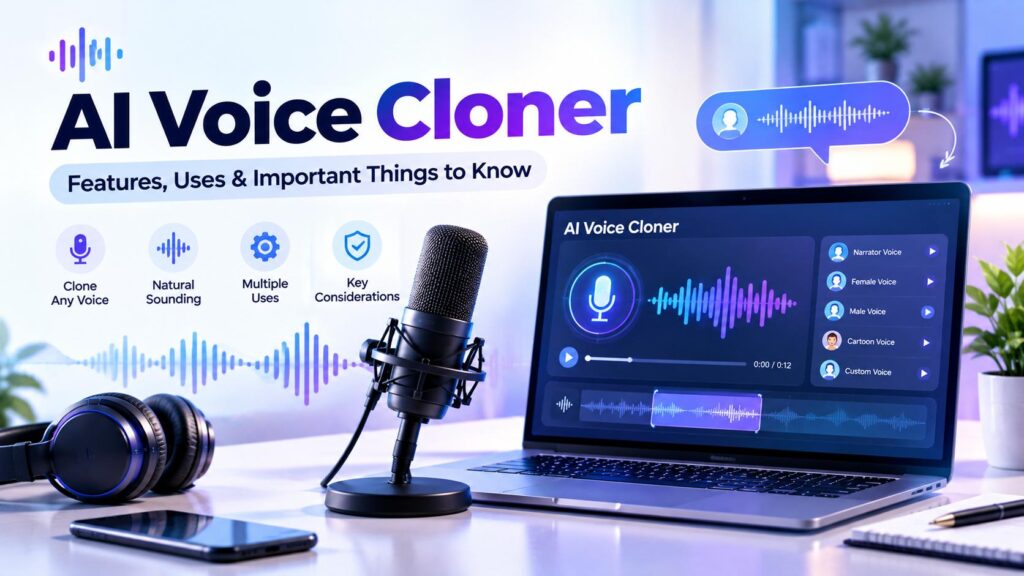
AI voice cloning technology can create a synthetic voice that resembles a person’s voice by learning from audio samples. It is used in content production, narration, accessibility projects, and other audio workflows.
An AI voice cloner may help creators produce voiceovers without recording every line manually. However, the quality and available features vary between platforms. Consent, privacy, and the responsible use of someone’s voice are also important considerations.
In this guide, we’ll explain how AI voice cloning works, what features to look for, where it may be useful, and what to consider before choosing a tool.
Table of Contents
ToggleWhat Is an AI Voice Cloner?
An AI voice cloner is a software tool that analyzes voice recordings and generates synthetic speech designed to resemble the sampled voice. Depending on the platform, users may be able to create a voice model from a short sample or a longer recording.
The resulting voice may be used to read new text aloud, create narration, or support audio production workflows. Results depend on the quality of the recording, the amount of training material, the language, and the tool’s underlying technology.
Voice cloning does not guarantee a perfect reproduction. Synthetic speech can differ from the original speaker in pronunciation, emotion, rhythm, and vocal detail.
How Does AI Voice Cloning Work?
Although each platform uses its own system, the process often includes several common stages:
- Audio input: The user provides a voice recording or other permitted audio sample.
- Voice analysis: The system analyzes characteristics such as tone, pronunciation, rhythm, and vocal texture.
- Voice model creation: The platform builds a model intended to reproduce aspects of the sampled voice.
- Text or audio generation: The user enters text or selects a supported generation method.
- Output review: The generated speech can be listened to and, where supported, adjusted or regenerated.
The exact workflow varies by provider. Some tools require more audio than others, while some offer additional controls for emotion, pacing, pronunciation, or language.
Key Features to Look for in an AI Voice Cloner
When you choose a new tool, the most important thing is its usefulness. A best AI voice cloner should be very easy to use, especially for people who are not tech savvy. The user simply has to record their voice or upload an audio file, and the cloning process starts automatically. Many of the best AI voice cloner tools have a simple and intuitive user interface that is easy to understand even for beginner users.
You can also read our guide to the Most Realistic AI Voice to learn about voice quality, natural pronunciation, and factors to consider when comparing tools.
2. Quality of Voice Cloning
1. Voice Similarity
Voice similarity describes how closely generated speech resembles the source recording. Similarity can vary depending on the sample quality, recording conditions, language, and complexity of the text.
Listen to several test samples rather than relying only on a short demonstration.
2. Natural-Sounding Speech
A useful voice model should produce speech that is understandable and appropriate for its intended purpose. Pay attention to pronunciation, pauses, intonation, and whether the voice sounds consistent across longer passages.
3. Language and Accent Support
Some services support multiple languages or accents, while others focus on a narrower set. Check whether the tool supports the language and accent required for your project.
Do not assume that a voice trained in one language will sound equally natural in another.
4. Voice Controls and Editing
Depending on the service, available controls may include:
- Speaking speed or pacing
- Stability or voice consistency
- Style or emotional delivery
- Pronunciation adjustments
- Regeneration of selected passages
The names and availability of these controls differ by platform.
5. Audio Export Options
Check which audio formats are available and whether the service supports the quality, duration, and workflow your project requires. Also review any restrictions on downloads, commercial usage, or generated audio.
6. Privacy and Voice Data Controls
Voice recordings can contain personal and identifying information. Before uploading a sample, review the provider’s privacy policy and terms.
Look for clear information about:
- How uploaded recordings are stored
- Whether samples may be used to improve services
- How voice models can be deleted
- Who can access the recordings or models
- What permissions are required to clone or use a voice
Only clone a voice when you have the necessary permission and comply with the provider’s rules and applicable law.
Common Uses of AI Voice Cloning
Content Creation
Creators may use voice cloning to produce narration for videos, explainers, podcasts, and other content. It can help maintain a consistent voice across multiple recordings.
E-Learning and Educational Content
Synthetic narration may be used in lessons, tutorials, and training materials. Content creators should review pronunciation and clarity, particularly when explaining technical terms.
Accessibility and Personal Projects
Some people explore synthetic speech for accessibility-related projects or to create a consistent narration experience. Suitability depends on the individual’s needs and the tool’s features.
Localization and Audio Production
Some platforms provide multilingual or dubbing-related features. Before using them, check language quality, licensing, and whether the service permits the intended use.
Benefits and Limitations
Potential Benefits
- Can reduce the need to record every line manually.
- May help maintain a consistent narration style.
- Can support repeatable audio-production workflows.
- Some platforms provide editing and regeneration features.
- May be useful for projects that require frequent updates.
Important Limitations
- Generated speech may not perfectly match the original voice.
- Pronunciation and emotional delivery can vary.
- Quality may differ across languages and accents.
- Some features may require a paid plan.
- Voice samples and generated models raise privacy and consent considerations.
- Usage rights and commercial permissions vary between providers.
The practical value of a voice cloner depends on the project, the quality of its output, and the terms under which it can be used.
How to Choose an AI Voice Cloner
Before choosing a platform, consider the following questions:
- What is the project? A short video narration may have different requirements from a long audiobook or training course.
- How much source audio is required? Check the minimum sample length and recording requirements.
- Does the output sound suitable? Test naturalness, pronunciation, and consistency with representative text.
- Are the required languages supported? Confirm language and accent support directly with the provider.
- What editing controls are available? Consider whether you need pacing, pronunciation, or style adjustments.
- What are the usage terms? Review commercial rights, consent requirements, and restrictions.
- How is voice data handled? Check retention, deletion, and privacy policies.
- What does the plan include? Review usage limits, export options, and subscription terms.
A short trial using your own permitted sample and realistic project text can help you understand whether a service meets your requirements.
Explore our Software Reviews & Comparisons section for more information about software features, pricing, and factors to consider before choosing a tool.
Examples of AI Speech Platforms
Several platforms provide AI speech-generation features, although their capabilities and access requirements differ. Here are a few services you can explore when researching voice technology:
- ElevenLabs: Offers AI voice generation and voice-cloning features. Review its documentation to understand the available cloning options, audio requirements, and restrictions.
- Google Cloud Text-to-Speech: Converts text into audio and provides options for selecting voices and adjusting speech characteristics. Check the current documentation for supported voices and features.
- Amazon Polly: Provides text-to-speech engines, including Standard, Neural, Long-form, and Generative options. Review its documentation to compare the available engines and their compatibility.
- Microsoft Azure AI Speech: Includes speech-generation capabilities and a Personal Voice feature with consent requirements and access conditions. Check the current documentation for eligibility and supported use cases.
AI Voice Cloning vs. Standard Text-to-Speech
AI voice cloning and standard text-to-speech are related but not identical.
Standard text-to-speech (TTS) converts written text into spoken audio using voices offered by the provider. Users may choose from a library of available voices.
AI voice cloning attempts to create a synthetic voice resembling a particular speaker based on provided audio samples. Depending on the service, it may require additional setup and permission.
If you simply need clear narration, a standard TTS voice may be sufficient. If your project specifically requires a permitted voice resemblance, voice cloning may be relevant. Compare the workflow, output quality, cost, and terms before deciding.
If you’re exploring standard speech generation, read our guide to AI Text-to-Speech for more information about converting written content into audio.
Responsible Use of AI Voice Cloning
A person’s voice can be an important part of their identity. Use voice cloning responsibly and obtain permission before creating or distributing a clone of another person’s voice.
Avoid using synthetic voices to impersonate someone, mislead listeners, or imply that a person said something they did not say. Follow the platform’s policies and applicable laws, and disclose synthetic audio when appropriate for the context.
For professional projects, keep records of permissions and review the provider’s commercial-use terms.
Frequently Asked Questions
An AI voice cloner is a tool that analyzes audio samples and generates synthetic speech intended to resemble the sampled speaker.
Not necessarily. Similarity varies by tool, recording quality, language, and text. Generated speech may differ in pronunciation, rhythm, emotion, or vocal details.
You should only clone a voice when you have the necessary permission and comply with the provider’s terms and applicable law. Services may have additional verification or consent requirements.
Some platforms may offer free trials or limited free features, while others require a subscription or usage-based payment. Check the provider’s current pricing and plan limits before signing up.
Commercial use depends on the platform’s license, plan, the source voice permissions, and the intended use. Review all applicable terms before publishing or monetizing generated audio.
Text-to-speech converts text into audio using available synthetic voices. Voice cloning uses voice samples to create a model intended to resemble a particular speaker.
Final Thoughts
AI voice cloning can be useful for narration and audio-production workflows, but the results and available features differ between providers. Consider voice similarity, naturalness, language support, editing controls, pricing, privacy, and usage rights before choosing a service.
Test the output with realistic text and review the terms carefully. Most importantly, use voice samples only with appropriate permission and avoid misleading or impersonating others.
You can also explore our Free Online Tools & Utilities for helpful calculators, text tools, image utilities, and converters.
Explore More AI Software Reviews
Explore more AI software reviews and practical guides to discover useful AI tools for different digital needs.
Pingback: AI Text-to-Speech: Powerful Features, Uses & Tools Explained
Pingback: ElevenLabs Review: Ultimate Guide to Features, Pricing & Pros/Cons