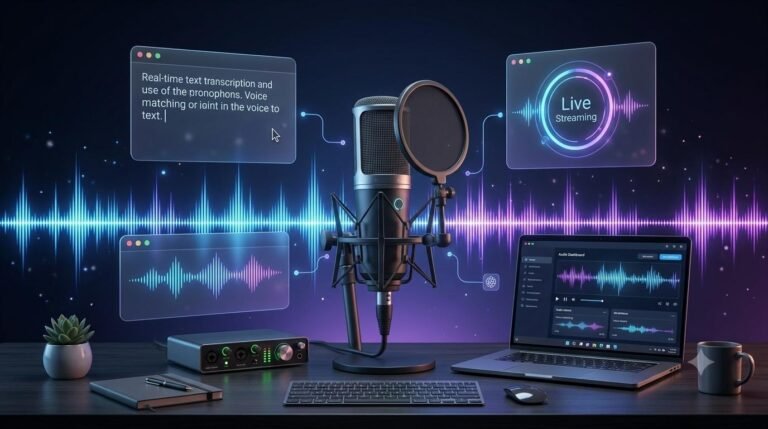
Live Audio Streaming Voice AI is changing how people interact with digital applications through spoken conversations. Instead of recording a voice message and waiting for a response, users can speak naturally and receive AI-generated audio responses in near real time.
This technology is useful for voice assistants, customer support, interactive applications, online learning, gaming, and other services where uninterrupted communication matters. Modern real-time voice AI systems can process incoming audio, understand spoken requests, maintain conversational context, and generate spoken responses while a conversation is still happening.
However, not every audio AI tool is designed for live conversations. Some services focus mainly on converting text into speech, while others support continuous audio input, speech recognition, conversational reasoning, and real-time speech generation.
This guide explores the features, technologies, platforms, practical uses, and limitations of live audio streaming voice AI to help you understand which solution may suit your requirements.
Table of Contents
ToggleWhat Is Live Audio Streaming Voice AI?
Live audio streaming voice AI refers to technology that processes audio continuously or in small incoming segments and generates responses during an active interaction.
Unlike traditional voice tools that require a complete audio recording before processing it, real-time voice AI is designed to handle ongoing conversations with minimal delay.
For example, imagine asking a voice assistant a question while using a mobile application. The system receives your speech, interprets your request, processes the information, and responds through generated audio.
Depending on the platform and configuration, it may also support interruptions, follow-up questions, conversational context, and connections to external tools.
A live voice AI system may combine several capabilities:
Speech recognition to understand spoken input.
Language models to interpret requests and generate responses.
Speech generation to produce natural-sounding audio.
Audio streaming to transmit speech continuously.
Turn detection to identify when a person has finished speaking.
Conversation management to maintain context between responses.
Some modern platforms combine these capabilities in a single speech-to-speech system, while others use separate services connected through an application workflow.
How Does Real-Time Voice AI Work?
Real-time voice AI uses a combination of audio processing, AI models, and communication technologies to support spoken interactions.
A typical conversation follows this process:
Audio input: A microphone captures the user’s speech.
Audio streaming: The application sends audio data to the AI service as the conversation progresses.
Speech understanding: The system interprets the spoken input and identifies the user’s request.
AI processing: The model generates a suitable response using the conversation context and available tools.
Audio generation: The response is converted into speech or generated directly as audio.
Audio output: The application streams the generated response back to the user.
The process may work differently depending on the architecture. A traditional chained system uses separate speech-to-text, language-model, and text-to-speech components. A speech-to-speech model can process audio and generate spoken responses within a more integrated workflow.
The main objective is to reduce unnecessary waiting between speaking and receiving a response.
Real-Time Voice AI vs. Traditional Text-to-Speech
Real-time voice AI and traditional text-to-speech technology serve different purposes.
Text-to-speech converts written text into spoken audio. It is commonly used for narration, accessibility, audiobooks, voiceovers, and automated announcements.
Live conversational voice AI goes further by supporting an ongoing interaction between a person and an AI system.
| Feature | Traditional Text-to-Speech | Live Conversational Voice AI |
|---|---|---|
| Main purpose | Convert text into audio | Support spoken conversations |
| Input | Usually written text | Live audio, text, or both |
| Output | Generated speech | Context-aware responses and audio |
| Interaction | Usually one-way | Can support ongoing conversations |
| Interruptions | Not normally conversational | May support turn-taking and interruption handling |
| Typical use | Narration and voiceovers | Voice assistants and live support |
The distinction is important when selecting a platform. If you only need to generate narration from written content, a standard text-to-speech service may be sufficient. If users need to speak with an AI assistant, a real-time conversational solution is more appropriate.
Important Features of Live Audio Streaming Voice AI
Not every real-time voice platform offers the same capabilities. Before choosing a solution, consider the following features.
1. Low-Latency Audio Processing
Latency refers to the delay between a user’s spoken input and the system’s response.
Lower latency can make a conversation feel more natural. Long delays may cause users to repeat themselves, interrupt the assistant, or lose confidence in the interaction.
Look for a platform that supports streaming audio input and incremental audio output rather than requiring a complete recording before processing begins.
Remember that actual response time depends on the model, network connection, audio processing, server location, and application design. No single latency figure applies to every implementation.
2. Continuous Audio Streaming
Continuous streaming allows an application to send and receive audio while a session remains active.
This is useful when users need to have a conversation instead of submitting individual voice recordings.
A suitable platform should provide clear documentation for audio input, streamed output, session management, and connection recovery.
3. Natural Speech Generation
The quality of generated speech affects the overall user experience.
Useful features may include:
Natural pronunciation.
Clear speech output.
Appropriate speaking speed.
Support for different voices.
Multilingual speech generation.
Consistent audio quality.
For applications involving longer conversations, speech clarity and consistency are particularly important.
4. Speech-to-Speech Processing
Speech-to-speech technology allows a system to receive spoken input and produce spoken output without necessarily requiring a separate text-to-speech stage for every response.
This can help create more direct conversational experiences.
Some speech-to-speech systems can also use information from a speaker’s tone and delivery, depending on the model and supported features.
5. Interruption Handling
In natural conversations, people do not always wait until another speaker has finished talking.
Interruption handling, sometimes called barge-in, allows users to interrupt an AI response and continue speaking.
This feature is especially useful for customer support, interactive assistants, and applications where quick clarification matters.
6. Conversation Context
A useful voice assistant should understand follow-up questions rather than treating every sentence as an unrelated request.
Conversation context helps the system connect new questions with earlier parts of the interaction.
For example, a user might ask about a product and then say, “What about the cheaper option?” A context-aware assistant should understand what the user is referring to.
7. Real-Time Tool Integration
Some voice AI platforms allow applications to connect external tools, databases, search services, and business workflows.
This can enable an assistant to do more than answer general questions.
For example, a customer support assistant may retrieve order information, while a booking assistant may check available appointment times through an authorized backend system.
Sensitive operations should still use appropriate permissions and confirmation steps.
8. Reliable Audio Connections
A real-time conversation depends on more than the AI model.
The communication layer should handle audio transmission, network changes, session management, and interruptions as reliably as possible.
Protocols such as WebRTC and WebSocket are commonly used in real-time audio applications, although their suitability depends on the application architecture.
Best Voice AI Solutions for Live Audio Streaming
Several platforms offer technologies that developers can use to build real-time voice applications. Their capabilities and implementation approaches differ, so the right choice depends on the project.
1. OpenAI Realtime API and GPT-Live
OpenAI provides real-time voice technologies for applications that need spoken interaction.
The Realtime API supports speech-to-speech conversations, audio input and output, session state, and tool use. It is designed for applications that need responsive interactions, natural turn-taking, and interruption handling.
GPT-Live provides another approach for applications that need a continuous spoken conversation while a separate backend performs reasoning, searches, or other tasks.
Key capabilities include:
Real-time speech-to-speech interaction.
Audio input and generated speech output.
Conversation state management.
Tool and backend integration.
Support for interruptions and turn-taking.
WebRTC and WebSocket connection options, depending on the workflow.
Best suited for: Developers building conversational assistants, interactive applications, and voice-enabled services that require AI reasoning and real-time communication.
Official resources: OpenAI Realtime API and GPT-Live Guide.
2. Google Gemini Live API
Google’s Gemini Live API is designed for low-latency, real-time interactions using audio, video, and text.
It can support applications where users communicate with an AI system through continuous spoken interactions.
Depending on the supported model and configuration, capabilities include native audio processing, multilingual conversations, voice activity detection, tool use, audio transcription, and interruption handling.
Key capabilities include:
Real-time audio conversations.
Audio and text interaction.
Multilingual support.
Voice activity detection.
Tool integration.
Support for interruptions.
Additional multimodal capabilities in supported configurations.
Best suited for: Developers building interactive assistants, educational applications, customer experiences, and multimodal AI products.
Official resource: Google Gemini Live API Documentation.
3. Microsoft Azure Voice Live API
Microsoft’s Voice Live API provides a managed approach to building real-time voice agents.
It brings together speech recognition, generative AI, and text-to-speech capabilities through a unified interface. This can reduce the need for developers to manually connect and manage separate components.
The service is designed for low-latency speech-to-speech interactions and supports real-time voice experiences.
Key capabilities include:
Integrated speech recognition and speech generation.
Real-time conversational interactions.
Low-latency voice experiences.
Managed service infrastructure.
WebRTC connectivity.
Support for voice-driven applications.
Best suited for: Businesses and developers building customer service agents, voice assistants, and enterprise voice applications within the Microsoft ecosystem.
Official resource: Microsoft Azure Voice Live API.
4. Inworld Realtime API
Inworld provides real-time voice infrastructure for conversational applications.
Its Realtime API combines speech recognition, language-model processing, and speech generation within a connected voice conversation. It supports WebSocket and WebRTC connections, along with turn detection and interruption handling.
The platform is relevant to applications where responsive and interactive voice experiences are important.
Key capabilities include:
Low-latency voice interactions.
WebSocket and WebRTC support.
Speech-to-text and text-to-speech integration.
Turn detection.
Interruption handling.
Support for interactive voice agents.
Best suited for: Developers creating interactive characters, gaming experiences, conversational applications, and voice agents.
Official resource: Inworld Realtime API Documentation.
Comparison of Live Voice AI Solutions
The following comparison highlights the general focus of these platforms. Actual features, availability, pricing, and model support can change, so check the official documentation before making a technical decision.
| Platform | Main Focus | Notable Capabilities | Suitable For |
|---|---|---|---|
| OpenAI Realtime API | Speech-to-speech AI | Real-time conversations, tools, audio sessions | AI assistants and voice applications |
| OpenAI GPT-Live | Live conversations with backend delegation | Full-duplex interaction and backend workflows | Assistants connected to existing systems |
| Google Gemini Live API | Multimodal real-time AI | Audio, video, multilingual interaction | Interactive and multimodal applications |
| Microsoft Azure Voice Live | Managed voice agents | Integrated speech and generative AI | Enterprise voice solutions |
| Inworld Realtime API | Real-time conversational infrastructure | Streaming, turn detection, interruptions | Interactive characters and voice agents |
There is no universal winner. A platform that works well for an interactive gaming character may not be the best fit for a business call center or a browser-based customer support assistant.
WebRTC vs. WebSocket for Live Audio Streaming
The communication protocol is another important part of a real-time voice application.
Two commonly used options are WebRTC and WebSocket.
What Is WebRTC?
WebRTC is a technology for real-time communication between applications and devices.
It is commonly used for browser-based audio and video communication because it is designed to handle real-time media transmission.
WebRTC can be suitable for:
Browser-based voice assistants.
Mobile voice applications.
Interactive audio experiences.
Real-time speech communication.
It includes media-handling and network-resilience capabilities that are useful for live audio.
What Is WebSocket?
WebSocket provides a persistent connection that allows applications to exchange data in both directions.
For audio applications, it can be used to send audio chunks and receive generated audio or other events.
It may be suitable for:
Server-to-server audio workflows.
Custom audio processing pipelines.
Backend integrations.
Applications requiring direct control over streaming events.
Which One Should You Choose?
The choice depends on where audio processing takes place and how your application is designed.
For browser and mobile applications that need real-time media communication, WebRTC is often a strong option.
For server-side workflows and custom processing pipelines, WebSocket may be more appropriate.
Some platforms support both, allowing developers to select the connection method according to their requirements.
Practical Uses of Live Audio Streaming Voice AI
Real-time voice AI can support many types of applications.
Customer Support and Service Agents
Businesses can use voice AI to build assistants that answer common questions, guide customers through processes, and retrieve information from connected systems.
For example, a customer might ask about an order status and receive a spoken response after the application retrieves the relevant information.
Interactive Learning Applications
Educational platforms can use voice AI to create interactive learning experiences.
Students may ask questions aloud, practise conversations, receive explanations, or interact with an AI tutor.
Language-learning applications can also use spoken interaction to help users practise pronunciation and conversational skills.
Gaming and Interactive Characters
Games can use conversational AI to create characters that respond to players through spoken dialogue.
Instead of selecting from a fixed list of dialogue options, players may be able to ask questions and receive context-aware responses.
Virtual Assistants
Real-time voice AI can power assistants that help users search for information, manage tasks, interact with applications, and complete supported workflows.
Live Translation and Communication
Audio AI technologies can support live transcription and translation workflows.
For example, an application may convert incoming speech into text or translate spoken content into another language.
However, live translation is a different workflow from a full conversational voice assistant. Choose a platform that specifically supports the language pair and streaming behaviour your application requires.
Business and Appointment Systems
Businesses can integrate voice agents with authorized scheduling or customer-management systems.
An assistant may collect information, check available appointments, and help a user complete a supported booking process.
The application should verify availability and obtain confirmation before making important changes.
How to Choose the Right Voice AI Platform
Choosing a real-time voice AI solution requires more than comparing the quality of generated speech.
Consider these factors before selecting a service.
1. Define Your Main Requirement
Start by identifying what you want to build.
Do you need a voice assistant, a customer support agent, a live transcription system, a translation application, or an interactive character?
Different use cases require different capabilities.
2. Evaluate Response Latency
Test how quickly the system begins responding after a user speaks.
Do not rely only on advertised performance figures. Test the complete application with realistic audio, network conditions, and backend operations.
3. Check Language Support
If your application targets users who speak multiple languages, verify the supported languages and the quality of speech recognition and generated speech.
Do not assume that multilingual support means identical performance in every language.
4. Test Interruption Handling
Try speaking while the AI assistant is responding.
Check whether it stops appropriately, understands the new input, and continues the conversation without losing important context.
5. Review Integration Options
Check whether the platform supports the programming environment, communication protocols, and backend services used by your application.
Developer documentation, SDKs, authentication methods, and session-management features are important considerations.
6. Understand Pricing and Usage Limits
Real-time voice applications may incur costs based on audio usage, session duration, model processing, generated output, or additional backend services.
Review the current pricing structure and estimate costs using realistic usage scenarios.
7. Review Privacy and Security
Voice applications may process personal or sensitive information.
Understand how audio data, transcripts, and session information are handled. Review data retention, consent, access controls, and applicable privacy requirements before deployment.
8. Test Reliability at Scale
A system that works well for one user may behave differently when many people connect simultaneously.
Test concurrent sessions, connection recovery, audio quality, and backend performance before launching a production application.
Challenges and Limitations of Live Audio Streaming Voice AI
Although real-time voice AI offers useful capabilities, it also comes with practical challenges.
Network dependency: Poor internet connectivity can affect audio quality, response time, and session stability.
Latency: Even a capable AI model may feel slow if the application has inefficient audio processing or backend workflows.
Background noise: Noisy environments can make speech recognition less accurate.
Language and accent differences: Recognition quality may vary across languages, accents, speaking styles, and recording conditions.
AI response accuracy: A voice assistant can misunderstand a request or generate an incorrect answer. Important information should be verified through reliable systems.
Usage costs: Continuous audio sessions and model processing may become expensive at scale.
Privacy concerns: Applications should clearly explain how voice recordings and transcripts are processed and stored.
Technical complexity: Developers may need to manage session lifecycles, authentication, network connections, audio formats, and backend integrations.
Understanding these limitations helps teams build more reliable voice experiences and set realistic expectations for users.
Frequently Asked Questions
Live audio streaming voice AI is technology that processes spoken input and generates AI responses during an active audio interaction. It can support continuous conversations, voice assistants, and real-time spoken applications.
Real-time voice AI may use speech recognition, language models, speech generation, audio streaming, and conversation-management systems. Some platforms combine these capabilities into integrated speech-to-speech models.
Text-to-speech converts written text into spoken audio. Speech-to-speech AI can receive spoken input and generate spoken responses, making it more suitable for conversational applications.
WebRTC is often suitable for real-time audio communication in browser and mobile applications. WebSocket can be useful for server-to-server communication and custom audio pipelines. The best option depends on the application’s architecture.
Some real-time voice AI platforms support interruption handling, allowing users to speak while the AI is responding. This capability depends on the model, session configuration, and application implementation.
Some platforms support multiple languages for speech recognition and audio generation. However, language availability and recognition quality vary by service and model.
Yes. It can support customer service applications that answer questions, retrieve information, and connect users with authorized business workflows. Human assistance may still be necessary for complex or sensitive situations.
A stable internet connection is important for a smooth real-time conversation. Network quality, latency, and connection reliability can affect the overall experience.
Some platforms offer free trials or limited usage, while production APIs generally have usage-based pricing or other service charges. Always check the provider’s current pricing and limits.
Final Thoughts
Live audio streaming voice AI is making spoken interaction more practical for applications that need responsive, conversational experiences.
From customer support and virtual assistants to education, gaming, and business automation, real-time voice technology can help users communicate with software in a more natural way.
OpenAI, Google, Microsoft, and Inworld offer different approaches to building these experiences. The right choice depends on your application’s requirements, including latency, language support, interruption handling, integration options, privacy, and operating costs.
Before selecting a platform, test it with realistic conversations and evaluate the complete application rather than focusing only on the underlying AI model.
With the right technology and careful implementation, live audio streaming voice AI can become a useful part of modern digital products.
Disclaimer: Platform features, model availability, pricing, and API capabilities may change. Review the official documentation and service terms before choosing a solution for a production application.
Related Guides
Explore more practical guides and reviews to understand AI voice technology and make informed decisions.
ElevenLabs Products & Features
Explore AI voice generation, conversational agents, creative tools, and developer features in our detailed evaluation.
AI Text-to-Speech Guide
Learn how AI converts written text into natural-sounding speech and explore its practical applications.
AI Voice Commands Guide
Discover how voice commands work on modern computers and compare built-in voice assistants and hands-free controls.
Explore More Free Tools & Utilities
Looking for more helpful online tools? Visit our Free Tools & Utilities page to discover a collection of free calculators, productivity tools, and useful online utilities designed to make your everyday tasks easier.
Explore More Digital Tools at DigiMarket
Looking for more useful digital resources and productivity solutions? Explore DigiMarket – The Marketplace for Digital Treasures to discover digital products, practical resources, and tools designed to support your online work and learning.
Whether you are exploring digital resources for business, marketing, or productivity, DigiMarket offers a growing collection of useful digital solutions.
Learn More with Prernaa
Want to improve your digital skills and learn practical ways to work smarter? Explore Prernaa – Inspiring Learning for useful learning resources, practical guides, and educational content.
Discover helpful information that can support your personal learning and digital growth.