
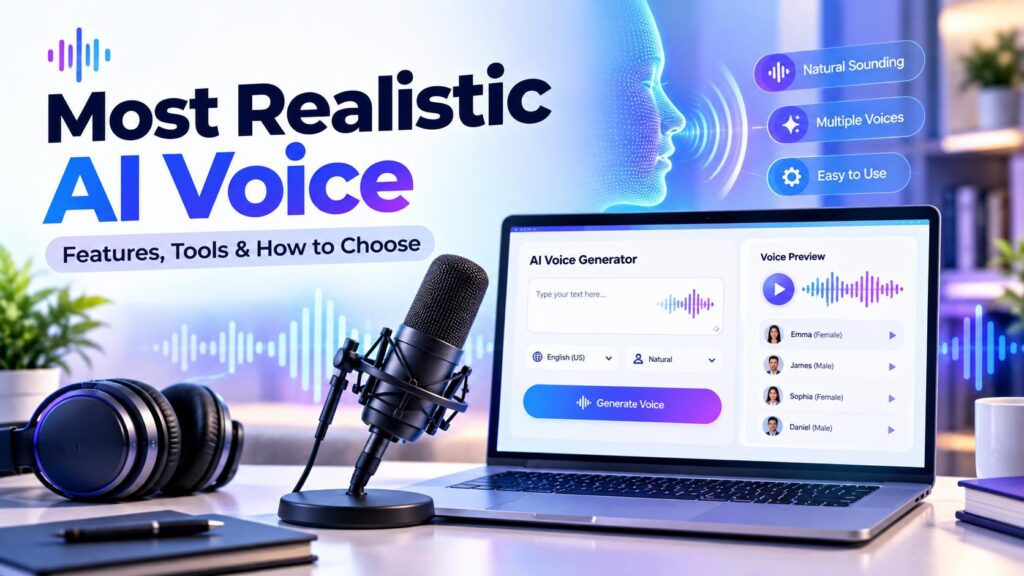
AI voice technology has developed beyond the robotic-sounding speech many people remember from earlier text-to-speech systems. Modern AI voice tools can generate expressive narration, support different languages, and offer controls for voice style and delivery.
But what makes an AI voice sound realistic? And how can you choose a tool that suits your videos, podcasts, learning materials, or business projects?
This guide explains the features to compare, introduces several AI voice platforms, and outlines practical ways to evaluate voice quality before choosing a service.
This guide explores the most realistic AI voice tools, their key features, and what to consider when choosing one for your needs.
Table of Contents
ToggleWhat Makes the Most Realistic AI Voice?
There is no single voice that will sound best for every person or project. A voice that works well for a documentary may not suit a short social media video. The most useful choice depends on the script, audience, language, delivery style, and intended use.
When comparing the most realistic AI voice options, consider these factors.
1. Natural Pronunciation and Clarity
A realistic voice should pronounce words clearly and handle sentence rhythm in a way that is comfortable to listen to. Pay particular attention to names, abbreviations, technical terms, numbers, and words that may be unfamiliar to the speech model.
Test a sample containing the kinds of words your actual project will use. A short promotional sentence may not reveal pronunciation problems that appear in a longer script.
2. Intonation, Pauses, and Rhythm
Human speech naturally varies in pitch, pace, emphasis, and pauses. AI voice tools may provide different levels of control over these elements.
Listen for whether the voice sounds appropriate for the meaning of the text. A calm educational explanation, for example, may need a different delivery from an energetic character performance.
3. Emotional Expression
Some AI voice models offer expressive delivery or controls that influence how a line is spoken. This can help with storytelling, character dialogue, narration, and other projects where tone matters.
More expression is not always better. The delivery should suit the content rather than making every sentence sound dramatic.
4. Voice Selection and Customization
A platform may offer a library of ready-made voices, tools for designing a voice, or voice-cloning capabilities. The available options vary by service and subscription.
Before selecting a voice, consider:
- Voice style and tone
- Language and accent
- Suitability for your audience
- Consistency across a long project
- Available controls for speed, delivery, or expression
If you use voice cloning, obtain the necessary permission from the person whose voice is being cloned. Do not use synthetic voices to impersonate someone or mislead listeners.
5. Language and Accent Support
Language support is important when creating content for different regions. A tool may support several languages, but the quality and available voices can differ between them.
Test the exact language and accent you intend to use. If the content is important or professional, ask a fluent speaker to review pronunciation and phrasing before publishing.
6. Consistency Across Longer Audio
A voice may sound convincing in a short sample but become tiring or inconsistent during a longer recording.
For audiobooks, lessons, podcasts, or long videos, generate a representative section of your script. Listen for changes in pronunciation, pacing, tone, and voice identity.
7. Editing, Export, and Workflow
Consider how easily you can revise a line, regenerate a section, organize a longer project, and export the finished audio.
If you work with video or audio editing software, check whether the generated files and workflow fit your production process.
When comparing the most realistic AI voice options, listen for natural pronunciation, appropriate pauses, and consistent tone.
You can also explore our AI Text-to-Speech tool guide to learn more about turning written content into audio.
AI Voice Tools to Explore
The following platforms offer different kinds of speech or voice-generation capabilities. They are included as options to investigate, not as a universal ranking. Features and access may depend on the product, model, region, and plan.
ElevenLabs
ElevenLabs provides AI audio tools that include text-to-speech, voice options, voice design, voice cloning, and dubbing. Its tools may be useful for creators who need narration, expressive speech, or multilingual audio.
When evaluating it, test your own script and compare the available voices and models. Review the current plan limits and licensing terms before using generated audio publicly or commercially.
Read our detailed review: ElevenLabs Review
Google Cloud Text-to-Speech
Google Cloud Text-to-Speech provides speech-generation capabilities for applications and services. It may be relevant to developers and organizations that want to integrate generated speech into a technical workflow.
Before choosing it, examine the current voice options, language support, usage-based pricing, setup requirements, and integration needs.
Amazon Polly
Amazon Polly is a text-to-speech service within Amazon Web Services. It may suit projects that need programmatic speech generation or integration with other AWS services.
Review the current voice catalogue, supported languages, billing structure, and implementation requirements to determine whether it fits your project.
Microsoft Azure Speech
Microsoft Azure Speech includes speech-related capabilities for applications and business workflows. Depending on the selected service and configuration, it may be useful for projects that require speech generation or integration with other Azure technologies.
Check the current voice choices, supported languages, pricing, and technical requirements before making a decision.
Comparison Checklist
Use this checklist to compare tools against your own requirements rather than relying only on promotional samples.
| Factor | What to check |
|---|---|
| Voice quality | Does the voice sound clear and suitable for your content? |
| Pronunciation | Does it correctly pronounce names, numbers, and specialist terms? |
| Expression | Can it deliver the tone your project needs? |
| Languages | Does it support your required language and accent? |
| Customization | Can you choose or adjust voices and delivery? |
| Longer projects | Does the voice remain consistent across extended audio? |
| Editing and export | Can you revise sections and export files in a useful format? |
| Pricing | Are the limits, credits, or usage charges suitable for your workload? |
| Licensing | Does the plan permit your intended personal or commercial use? |
| Privacy and consent | Are the service’s data practices and voice permissions appropriate? |
How to Test an AI Voice Before Choosing It
A structured test can make comparisons more useful.
Step 1: Prepare the Same Sample Script
Use the same short script for each tool. Include ordinary sentences as well as a few names, numbers, questions, and phrases that represent your real content.
Step 2: Select a Suitable Voice
Choose a voice that matches the intended audience and project. Avoid comparing one platform’s calm narration voice with another platform’s highly expressive character voice.
Step 3: Generate the Audio
Use the available settings to create the sample. If the platform offers different models, note which model and settings you used.
Step 4: Listen for Specific Qualities
Check clarity, pronunciation, pauses, pacing, expression, and whether the voice remains comfortable to listen to.
Step 5: Review the Output in Context
Listen to the audio alongside the video, presentation, lesson, or other content where it will be used. A voice that sounds good on its own may not fit the project.
Step 6: Check the Terms and Total Cost
Review current usage limits, subscription or usage-based charges, commercial-use permissions, and any restrictions relevant to your project.
Choosing an AI Voice for Different Projects
YouTube Videos and Social Media
Look for clear narration, suitable pacing, and a voice that fits the channel’s style. Test the voice with the actual script and listen on headphones and ordinary speakers.
Audiobooks and Long-Form Narration
Prioritize consistency, pronunciation, comfortable pacing, and the ability to revise sections. Generate a longer sample before committing to a voice for an entire project.
Education and Training
Choose a voice that is easy to understand and appropriate for the learners. Review technical vocabulary, names, and pronunciation carefully.
Business and Marketing Content
Consider whether the voice fits the brand, intended audience, and communication style. Check commercial-use terms and obtain any permissions required for voice assets.
Apps and Developer Projects
Look at API availability, latency, integration requirements, supported languages, reliability, and pricing. A no-code creator tool and a developer API may serve different needs.
Common Limitations of AI Voice Generation
AI-generated speech can be useful, but it is not guaranteed to be perfect.
Potential issues include:
- Mispronunciation of names or unfamiliar terms
- Unnatural pauses or emphasis in some sentences
- Differences in quality between languages and voices
- Inconsistent delivery across long recordings
- Extra editing or regeneration to achieve the desired result
- Subscription limits, usage charges, or licensing restrictions
Human review remains important, especially for public-facing, educational, commercial, or sensitive content.
Is an AI Voice Generator Right for You?
An AI voice generator may be helpful if you regularly need narration, want to experiment with different voice styles, or need a repeatable way to create spoken content.
It may be less useful if you only need occasional short recordings, require a very specific human performance, or cannot accept the review and editing that generated speech may require.
The practical choice depends on your content, workflow, budget, language needs, and licensing requirements.
The most realistic AI voice for your project will depend on your content type, preferred voice, language, and budget.
Testing a few samples is a practical way to identify the most realistic AI voice for your particular project.
For more help comparing digital tools, visit our Software Reviews & Comparisons section to explore features, pricing, and important considerations.
Frequently Asked Questions
There is no single voice that is best for every project. Realism depends on the selected model and voice, the script, language, pronunciation, delivery, and the listener’s preferences. Test several options using the same representative script.
Some AI systems can produce natural-sounding speech with varied intonation and expressive delivery. Results can still vary, and generated audio may contain pronunciation or timing issues that need review.
That depends on the tool’s current license and the way you use the audio. Review the provider’s terms, including any commercial-use restrictions, before publishing monetized or sponsored content.
Many services offer multilingual speech generation, but supported languages, accents, voices, and quality differ. Test the specific language and accent required for your project.
Some platforms provide voice-cloning features. Only clone a voice when you have the required permission, and use the resulting audio responsibly.
Some providers offer free tiers or limited trials. Usage limits, features, and rights to use the generated audio vary, so check the current terms before relying on a free option.
Test voice quality with your own script, review language and customization options, confirm export and workflow requirements, and check current pricing, usage limits, licensing, and privacy terms.
Final Thoughts
AI voice tools offer different combinations of speech quality, voice selection, customization, language support, and workflow features. The most suitable option is the one that meets your project’s needs—not simply the one with the most impressive sample.
Compare tools using the same script, review the generated audio carefully, and confirm the plan terms before using the voice in a public or commercial project.
If you are exploring more voice-generation options, read our ElevenLabs Review for a closer look at its features, pricing structure, and considerations for potential users.
You can also explore our Free Online Tools & Utilities for helpful calculators, text tools, image utilities, and converters.
Explore More AI Software Reviews
Explore more AI software reviews and practical guides to discover useful AI tools for different digital needs.
Pingback: AI Voice Cloner: Features, Uses & Important Things to Know
Pingback: AI Text-to-Speech: Powerful Features, Uses & Tools Explained