
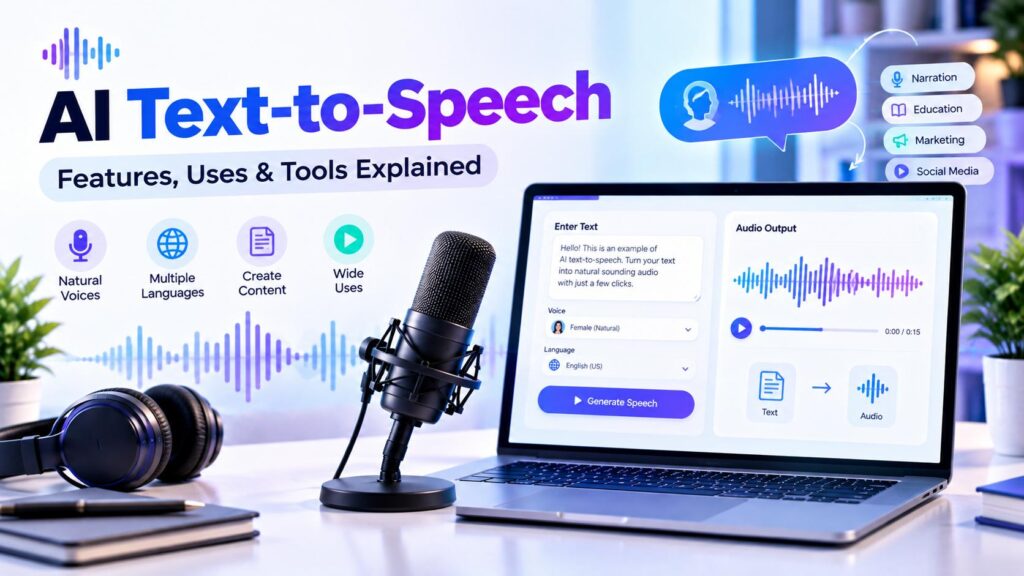
AI text-to-speech technology converts written text into spoken audio using computer-generated voices. It can help creators produce narration, tutorials, presentations, learning materials, and other audio content without recording every sentence manually.
Modern text-to-speech tools may provide different voices, languages, speaking styles, and controls for adjusting speech output. However, the quality, available features, pricing, and usage terms vary from one provider to another.
This guide explains how AI text-to-speech works, which features to consider, where it may be useful, and how to evaluate a tool for your needs.
Table of Contents
ToggleWhat Is AI Text-to-Speech?
AI text-to-speech, often shortened to TTS, is technology that transforms written words into spoken audio. A user enters text, selects a voice and available settings, and generates speech.
Depending on the platform, the result may be downloadable audio, a generated audio stream, or speech delivered through an application or API.
TTS is different from recording a human voice. Instead of capturing a new recording for every sentence, the system generates speech from text using a synthetic voice.
How Does AI Text-to-Speech Work?
The exact process varies by provider, but a typical workflow includes these steps:
- Enter the text: Type or paste the content you want to convert.
- Choose a voice: Select from the voices available in the service.
- Set speech options: Where supported, adjust language, speaking rate, pitch, style, or pronunciation.
- Generate the audio: The system processes the text and produces synthetic speech.
- Review the result: Listen for pronunciation, pacing, clarity, and consistency.
- Export or use the audio: Download the file or integrate the generated speech into your workflow, depending on the platform.
Some services also support APIs, markup languages, or editing environments for more advanced applications.
Key Features to Look for in an AI Text-to-Speech Tool
1. Natural-Sounding Voices
Voice quality is one of the most important aspects of a TTS service. Listen for clear pronunciation, natural pacing, appropriate pauses, and consistent delivery.
A voice that sounds suitable for a short promotional clip may not necessarily be appropriate for a long educational lesson. Test samples that resemble your actual content.
2. Voice Selection
Some platforms offer a library of synthetic voices with different characteristics. These may vary by language, accent, vocal style, and intended use.
Choose a voice that fits your audience and the tone of your project. Avoid assuming that one voice will suit every type of content.
3. Language and Accent Support
If your content is intended for a particular audience, check whether the tool supports the required language and accent.
Also test how it handles names, abbreviations, technical terms, numbers, and words that may be pronounced differently in different regions.
4. Speaking Rate and Pronunciation Controls
Some services provide controls for speaking speed, pitch, pronunciation, or pauses. Others may offer more limited customization.
These controls can be useful when creating tutorials, lessons, or narration that requires a particular pace. Check which settings are available before choosing a platform.
5. Long-Form Audio Support
If you plan to create lengthy narration, test a complete section rather than evaluating only a short sentence.
Listen for changes in tone, awkward pauses, pronunciation inconsistencies, and whether the output remains clear throughout the recording.
6. Audio Export and Integration
Check whether the service supports the file formats and workflow you need. Some platforms offer downloadable audio, while others also provide APIs or integrations.
Review any limits on audio length, downloads, usage, or access to advanced features.
7. Privacy and Content Handling
Before uploading confidential or personal text, review the provider’s privacy policy and terms. Understand how submitted content is processed, retained, and potentially used.
For business or client projects, check whether the service meets your organization’s data-handling requirements.
If natural-sounding narration is your priority, read our guide to the Most Realistic AI Voice to explore voice quality and factors to consider when comparing tools.
Common Uses of AI Text-to-Speech
YouTube Videos and Video Narration
Creators may use TTS to generate narration for explainers, tutorials, educational videos, and other content.
Before publishing, listen carefully to the entire audio track and check that the delivery suits the video’s subject and audience.
E-Learning and Training Materials
TTS can provide spoken versions of lessons, instructions, and training content. Clear pronunciation and an appropriate pace are especially important for educational material.
Presentations and Explainer Content
Synthetic narration can be used to add a spoken component to presentations, product explainers, and demonstrations.
Choose a voice and pace that make the information easy to follow.
Accessibility and Reading Support
Speech-generation technology can provide an audio alternative to written content in some accessibility workflows. Whether a particular tool meets a person’s needs depends on its voice quality, controls, language support, and compatibility.
Podcasts and Audio Projects
Creators may use TTS for selected segments, drafts, or other audio-production tasks. Review the provider’s terms and make sure the generated voice is appropriate for the intended project.
AI Text-to-Speech vs. AI Voice Cloning
These technologies are related, but they serve different purposes.
AI text-to-speech converts written content into audio using voices supplied by the platform or otherwise available within the service.
AI voice cloning attempts to create a synthetic voice resembling a particular speaker using audio samples and a voice-modeling process. It may involve additional setup, verification, permission requirements, or usage restrictions.
If you need narration and do not require a particular person’s voice, standard TTS may be enough. If your project requires a permitted voice replica, investigate voice-cloning features and their consent and licensing requirements separately.
To learn more about creating a voice model from audio samples, explore our guide to the AI Voice Cloner and its features, uses, and limitations.
Examples of AI Text-to-Speech Platforms
The following services provide speech-generation technology. Their features, access conditions, and supported options may change, so consult their official documentation before choosing one.
ElevenLabs
ElevenLabs provides AI speech-generation tools and voice options. Its platform also includes voice-cloning capabilities, subject to the provider’s requirements and restrictions.
Explore the available tools and documentation to determine whether its features fit your project.
Google Cloud Text-to-Speech
Google Cloud Text-to-Speech converts text into audio and provides options for choosing voices and configuring speech output. Its documentation describes supported voices and methods for generating audio.
It may be relevant to projects that need speech generation through a cloud service or API.
Amazon Polly
Amazon Polly provides text-to-speech engines with different characteristics and use cases. Its documentation describes available engines, voices, and compatibility details.
Review the current options to understand which engine and workflow are suitable for your application.
Microsoft Azure AI Speech
Microsoft Azure AI Speech provides speech-generation capabilities and developer-oriented services. Its available features and access requirements depend on the specific capability and use case.
Consult the official documentation to check supported functionality and conditions.
How to Choose the Right AI Text-to-Speech Tool
Before selecting a service, consider these questions:
- What type of content will you create? A short video, long tutorial, and application voice interface may require different features.
- Does the voice sound suitable? Test it with representative text, including names and technical vocabulary.
- Are your required languages supported? Confirm language and accent support rather than relying on assumptions.
- Can you adjust the speech? Check whether the available controls meet your needs.
- Can you export or integrate the audio? Review formats, API options, and workflow compatibility.
- What are the usage limits? Check text limits, audio duration, credits, and restrictions.
- What does it cost? Compare the current plans and estimate your likely usage.
- Are the usage terms appropriate? Review commercial-use permissions, attribution requirements, and other conditions.
- How is your content handled? Check privacy and data-retention information.
A practical way to evaluate a tool is to generate the same short sample with a few candidate voices. Compare clarity, pronunciation, pacing, and how well each output suits your content.
For more guidance on evaluating digital products, visit our Software Reviews & Comparisons section to explore features, pricing, and important considerations.
Tips for Getting Better TTS Results
Prepare the Text
Use clear sentences and sensible punctuation. Break up overly long passages where appropriate, and check spelling before generating audio.
Test Difficult Words
Names, acronyms, numbers, and specialized terminology may need extra attention. Listen to these parts carefully and use pronunciation controls if the platform provides them.
Choose a Voice for the Audience
Consider the audience, subject, and tone of your content. A conversational voice may suit one project, while a more measured delivery may suit another.
Review the Complete Output
Do not rely only on a short preview. Listen to the full generated audio to identify awkward transitions, mispronunciations, or inconsistencies.
Check the License
Before publishing or monetizing audio, review the provider’s current terms and any restrictions related to commercial use, redistribution, or synthetic-voice disclosure.
Benefits and Limitations of AI Text-to-Speech
Potential Benefits
- Can produce narration without recording every line manually.
- May help creators update spoken content when text changes.
- Can provide access to different synthetic voices and languages.
- May support repeatable audio workflows.
- Some services provide APIs and integration options.
Important Limitations
- Voice naturalness and pronunciation vary between services.
- Some voices may struggle with unusual names or specialized vocabulary.
- Language and accent support may be limited.
- Advanced features or larger usage allowances may require payment.
- Synthetic speech may not convey every nuance of human performance.
- Terms, licensing, and privacy practices differ by provider.
The usefulness of TTS depends on the quality of the output and how well the service fits the project.
Frequently Asked Questions
AI text-to-speech is technology that converts written text into spoken audio using synthetic voices.
No. Standard TTS generates speech using voices provided by a service. Voice cloning attempts to create a synthetic voice resembling a particular speaker using audio samples.
It can produce natural-sounding speech, but results vary by platform, voice, language, and text. Testing representative samples is a useful way to assess quality.
That depends on the provider’s current terms, the selected voice, and your intended use. Review the applicable license and any disclosure requirements before publishing.
Some services may offer free access or trial usage, while others charge based on plans, credits, or usage. Check the provider’s current pricing and limits.
Many services support multiple languages, but the available languages, accents, and voice options differ. Confirm support for the language you need.
Download and export options vary by service and plan. Check the platform’s current documentation for supported formats and restrictions.
Final Thoughts
AI text-to-speech can help with narration, educational materials, presentations, and other audio workflows. When comparing services, consider voice quality, language support, customization, export options, usage limits, pricing, privacy, and licensing.
Test the tool with realistic text before relying on it for a larger project. Reviewing the full output and checking the provider’s current terms can help you make an informed choice.
You can also explore our Free Online Tools & Utilities for helpful calculators, text tools, image utilities, and converters.
Explore More AI Software Reviews
Explore more AI software reviews and practical guides to discover useful AI tools for different digital needs.
Pingback: Best AI Voice Cloner: A Comprehensive Guide to Features
Pingback: ElevenLabs Review: Ultimate Guide to Features, Pricing & Pros/Cons
Pingback: Most Realistic AI Voice: Powerful Features & Tools Explained