
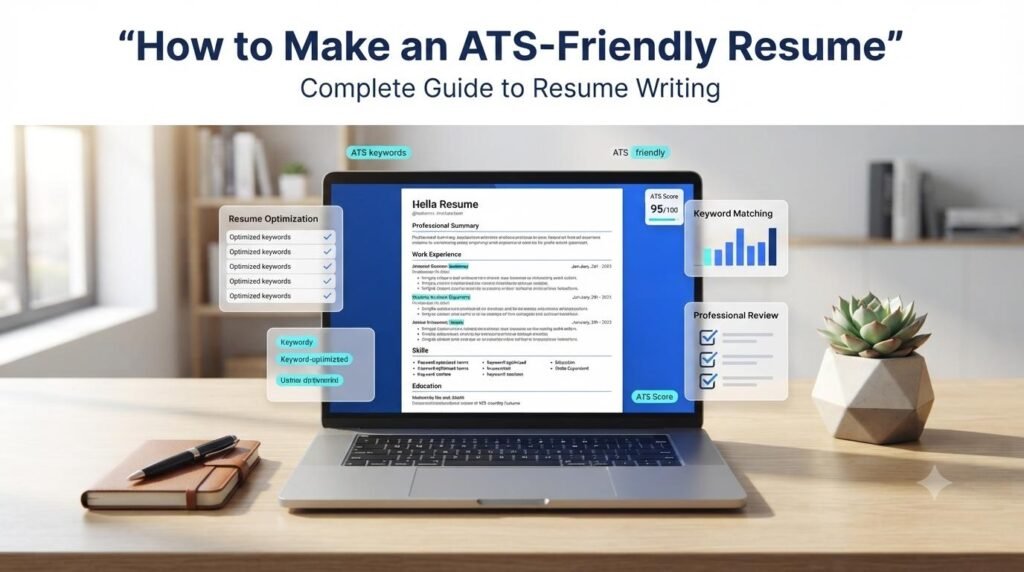
Learning how to make an ATS-friendly resume is an important step when preparing for today’s job market. Many employers use Applicant Tracking Systems (ATS) to collect, organize, and manage job applications. These systems help recruiters handle large numbers of resumes and find applications that match their hiring requirements.
However, creating an ATS-friendly resume does not mean filling your document with keywords or following complicated formatting rules. It means presenting your qualifications, skills, and experience in a clear, organized, and relevant way.
In this guide, you will learn how ATS software works, how to structure your resume, how to use job-related keywords naturally, and which common mistakes you should avoid before submitting a job application.
Understanding how to make an ATS-friendly resume starts with identifying the skills and qualifications employers expect. Read the job description carefully and organize your relevant experience so recruiters can quickly understand your suitability for the position.
Table of Contents
ToggleWhat Is an ATS-Friendly Resume?
An ATS-friendly resume is a resume written and formatted in a way that makes its information easier for Applicant Tracking Systems and recruiters to process.
An Applicant Tracking System is software used by employers to manage recruitment activities. Depending on the system and its configuration, it may collect candidate information, organize applications, identify relevant terms, and help recruiters review applicants.
A well-structured resume makes important information easier to identify, including:
Contact information
Professional summary
Work experience
Skills and qualifications
Education
Relevant certifications
An ATS-friendly resume should also be easy for a human recruiter to read. Your main goal should be to communicate your suitability for a particular position clearly.
Understanding how to make an ATS-friendly resume can help both freshers and experienced professionals present their qualifications more effectively. The right structure makes important career information easier to locate and review.
How Does an Applicant Tracking System Work?
An Applicant Tracking System helps employers manage the hiring process. Although different systems have different features, a typical recruitment workflow may include the following activities:
Resume collection: The system receives applications submitted through a company’s career website or recruitment platform.
Information extraction: It may extract details such as a candidate’s name, contact information, employment history, and education.
Application organization: Candidate information is stored and organized for recruiters.
Search and filtering: Recruiters may search applications using qualifications, experience, skills, or other job-related criteria.
Recruiter review: Hiring teams review applications and decide which candidates should move forward.
Not every employer uses the same ATS software or screening settings. Therefore, no resume format or keyword strategy can guarantee that your application will pass every system.
Knowing how to make an ATS-friendly resume also means understanding that different employers may use different recruitment systems. Therefore, focus on clear information, relevant qualifications, and a readable structure instead of trying to optimize for one particular software.
How to Make an ATS-Friendly Resume Step by Step
Follow these practical steps to prepare a clear and organized resume for your next job application.
1. Choose a Simple and Professional Resume Format
Start with a clean resume layout that presents information in a logical order.
For many applicants, a reverse-chronological format is a practical choice. It lists the most recent work experience first, followed by earlier roles.
Use a consistent structure with clearly separated sections. Avoid unnecessary visual elements that may make important information difficult to identify.
A simple resume structure can look like this:
Name and Contact Information
Professional Summary
Work Experience
Skills
Education
Certifications or Projects, if relevant
Choose a format that suits your experience and the position you are applying for.
When learning how to make an ATS-friendly resume, remember that a simple layout is often easier to read and process. Use consistent headings, clear spacing, and a logical order to present your professional information.
2. Use Standard Resume Headings
Clear section headings help readers identify the information they need.
Use familiar headings such as:
Professional Summary
Work Experience
Skills
Education
Certifications
Projects
Avoid creative or unclear labels when a standard heading communicates the information more directly.
For example, use “Work Experience” instead of a decorative heading such as “My Professional Journey.”
3. Include Relevant Keywords From the Job Description
Keywords are an important part of preparing a targeted resume.
Start by reading the job description carefully. Identify the skills, qualifications, tools, responsibilities, and industry terms that are genuinely relevant to your background.
For example, a digital marketing job description might mention:
Digital Marketing
SEO
Keyword Research
Google Analytics
Content Marketing
Social Media Marketing
WordPress
If you have experience with these skills, include them naturally in the relevant sections of your resume.
Do not add skills you do not possess simply to increase keyword matches. Accurate information is more valuable than an artificially optimized resume.
An important part of how to make an ATS-friendly resume is matching your genuine qualifications with the requirements of a job. Select relevant keywords from the job description and include them naturally in your skills and experience sections.
4. Write a Clear Professional Summary
A professional summary is a short introduction that highlights your relevant experience, strengths, and career direction.
Keep it focused on the position you are applying for.
Example:
“Digital Marketing Executive with experience in SEO, keyword research, content optimization, and website management. Familiar with Google Analytics and WordPress, with an interest in improving website visibility and supporting business growth.”
Customize your summary according to your actual experience and the requirements of each position.
Freshers can use a career objective or a short professional profile that highlights their education, relevant skills, projects, and career interests.
A useful step in how to make an ATS-friendly resume is writing a summary that connects your experience with the position. Highlight relevant strengths instead of using vague or unrelated statements.
5. Present Work Experience With Clear Bullet Points
Avoid writing long paragraphs that make your responsibilities difficult to scan.
Use simple bullet points to describe your responsibilities, contributions, and achievements.
Example:
Digital Marketing Executive
Conducted keyword research to identify relevant content opportunities.
Assisted with on-page SEO improvements and website optimization.
Created and managed social media content.
Reviewed website performance using analytics tools.
Where possible, include accurate and measurable results.
For example:
Improved organic website traffic by 25% over six months.
Managed content publishing for 30 website pages.
Reduced manual reporting time by 4 hours per week.
Only use figures that you can support with your actual work.
6. Create a Relevant Skills Section
Your skills section should highlight abilities that are useful for the job.
You can organize skills into relevant groups.
Example:
Technical Skills:
SEO
Keyword Research
Google Analytics
WordPress
Content Optimization
Professional Skills:
Communication
Time Management
Teamwork
Problem-Solving
Choose skills that reflect your actual knowledge and experience. Avoid adding a long list of unrelated terms.
7. Include Your Education and Certifications
Add your educational qualifications in a clear and consistent format.
Include details such as:
Degree or qualification
Institution name
Graduation year, where relevant
Relevant certifications
If you are a fresher, your education, academic projects, internships, and relevant training can help demonstrate your potential.
Experienced professionals can keep this section concise while giving more attention to relevant work experience.
8. Use a Consistent and Readable Layout
A professional resume should be easy to read on different devices and in common document viewers.
Consider these formatting practices:
Use a readable font.
Maintain consistent font sizes and spacing.
Keep section headings clear.
Align dates and job titles consistently.
Avoid unnecessary graphics and decorative symbols.
Use simple bullet points.
Check that the final document is readable.
Complex tables, text boxes, multiple columns, headers, and footers can sometimes create extraction problems in certain systems. A straightforward single-column layout is a sensible starting point when compatibility is a priority.
Always follow the employer’s instructions about accepted file formats.
Another useful tip for how to make an ATS-friendly resume is to check the final document before submitting it. Review headings, spacing, bullet points, and text readability to make sure your information is presented consistently.
Common ATS Resume Mistakes to Avoid
Even a well-qualified candidate can make avoidable resume mistakes. Review the following points before submitting your application.
1. Using Too Many Decorative Elements
Unnecessary icons, graphics, charts, and complicated layouts may make information harder to extract or read.
Keep the design professional and focused on your qualifications.
2. Keyword Stuffing
Repeating the same keyword excessively does not make a resume better.
Use relevant terms naturally in your professional summary, skills, and work experience sections.
3. Using Unclear Section Headings
Creative headings may look attractive but can make information less obvious.
Use familiar labels such as Work Experience, Education, and Skills.
4. Writing Long and Unfocused Paragraphs
Large paragraphs can make your experience difficult to scan.
Use short sentences and bullet points to communicate your responsibilities and achievements.
5. Adding Unrelated Skills
Do not include every skill you have ever encountered.
Prioritize skills that are relevant to the specific position and supported by your experience.
6. Ignoring Spelling and Grammar
Spelling mistakes and inconsistent wording can reduce the professionalism of your application.
Proofread your resume carefully before sending it.
7. Using the Same Resume for Every Job
Different positions may require different skills and qualifications.
Review each job description and make appropriate changes to your professional summary, skills, and relevant experience.
When considering how to make an ATS-friendly resume, avoid copying generic resume templates without reviewing their structure. Choose a layout that presents your contact details, skills, education, and work history clearly.
ATS-Friendly Resume Example: Basic Structure
Here is a simple structure you can use as a starting point when creating your own resume.
YOUR FULL NAME
Email Address | Phone Number | City | LinkedIn Profile
PROFESSIONAL SUMMARY
Write two to four concise sentences describing your relevant experience, strengths, and career goals.
WORK EXPERIENCE
Job Title – Company Name
Employment Dates
Describe a relevant responsibility or achievement.
Highlight a skill or tool used in your work.
Include measurable results where accurate.
SKILLS
Relevant Technical Skill 1
Relevant Technical Skill 2
Relevant Professional Skill 3
EDUCATION
Degree or Qualification – Institution Name
Graduation Year
CERTIFICATIONS / PROJECTS
Include relevant certifications, internships, or projects where applicable.
This is a basic structure, not a universal template. Adapt it to your career level and the employer’s requirements.
How to Check Your Resume Before Applying
After preparing your resume, review it against the job description.
Use this simple checklist:
Does your resume include clear contact information?
Is your professional summary relevant to the position?
Are your work experience and education sections easy to identify?
Have you included relevant skills and qualifications?
Are job-related keywords used naturally?
Are responsibilities presented with clear bullet points?
Have you included accurate achievements and measurable results?
Is the document readable and free from unnecessary formatting?
Have you checked spelling, grammar, and consistency?
Does the final file follow the employer’s submission instructions?
You can also use our free ATS Resume Checker to review pasted resume text, check basic resume sections, compare job description keywords, and receive practical improvement suggestions.
The tool provides an estimated rule-based score. It does not connect to an employer’s actual ATS or guarantee that a resume will pass a recruitment screening process.
A final review is an essential step in how to make an ATS-friendly resume. Check that your resume reflects the job requirements, contains accurate information, and follows the employer’s application instructions.
Frequently Asked Questions
A clean, simple format with standard section headings and a logical reading order is a practical choice. A reverse-chronological layout works well for many applicants, although the best structure depends on your experience and career situation.
Yes, when those keywords accurately describe your skills, experience, and qualifications. Include relevant terms naturally rather than repeating them unnecessarily.
Compatibility can vary between ATS products. Complex tables and multiple-column layouts may sometimes affect how information is extracted. A simple single-column layout is a sensible starting point.
There is no universal page limit. Keep your resume focused and include enough relevant information to demonstrate your qualifications. Your career level, experience, and the employer’s requirements should guide the length.
Yes. Freshers can highlight education, internships, academic projects, certifications, technical skills, and relevant achievements. A clear structure helps present these details professionally.
No. An ATS-friendly format can make information easier to process, but selection depends on the employer’s criteria, the applicant’s qualifications, recruiter decisions, and other factors.
Many employers accept PDF files, but requirements vary by organization and ATS. Always follow the file format instructions in the job application. Make sure your PDF contains selectable text rather than only a scanned image.
Final Thoughts
If you are still unsure how to make an ATS-friendly resume, start by reviewing your existing resume against a specific job description. Improve relevant sections, remove unnecessary information, and make sure every qualification accurately represents your abilities.
Understanding how to make an ATS-friendly resume can help you prepare a more organized and relevant job application. Focus on clear headings, readable formatting, accurate job-related keywords, and meaningful descriptions of your experience.
Remember that your resume is ultimately written for people as well as recruitment software. Keep it honest, easy to understand, and tailored to the position.
Remember, how to make an ATS-friendly resume is not about achieving a perfect automated score. It is about presenting accurate, relevant, and well-organized information that helps recruiters understand your professional background.
Before applying, review your resume carefully and use the ATS Resume Checker to identify basic text-related improvements. A thoughtful final review can help you present your qualifications with greater clarity and confidence.
Related Guides
ATS Resume Checker
Check resume sections, keywords, and readability.
Cover Letter Generator
Create a professional job application letter
One-Page Resume Builder
Create a concise, organized resume.
Explore More Free Tools & Utilities
Discover a collection of free calculators, productivity tools, and useful online utilities.
Explore More Digital Tools at DigiMarket
Looking for more useful digital resources and productivity solutions? Explore DigiMarket – The Marketplace for Digital Treasures to discover digital products, practical resources, and tools designed to support your online work and learning.
Whether you are exploring digital resources for business, marketing, or productivity, DigiMarket offers a growing collection of useful digital solutions.
Learn More with Prernaa
Want to improve your digital skills and learn practical ways to work smarter? Explore Prernaa – Inspiring Learning for useful learning resources, practical guides, and educational content.
Discover helpful information that can support your personal learning and digital growth.


