Creating secure passwords is one of the simplest ways to protect your online accounts. Whether you use email, social media, banking services, shopping websites, or professional platforms, every account needs proper password protection. Learning how to Create Strong Passwords Online can help you avoid weak password choices and improve your digital security.
Many people still use easy-to-guess passwords, familiar names, birthdays, or the same password across multiple websites. These habits can put personal information and online accounts at risk. A strong password should be difficult to guess, unique for each account, and long enough to resist common password-guessing attempts.
In this guide, you will learn what makes a password strong, how to generate one using an online password generator, which mistakes to avoid, and how to manage your passwords more safely.
Table of Contents
ToggleWhat Is a Strong Password?
A strong password is a combination of characters that is difficult for other people or automated programs to guess. It should provide enough length and variety to make unauthorized access more difficult.
A good password generally includes:
Uppercase letters (A–Z)
Lowercase letters (a–z)
Numbers (0–9)
Special characters such as !, @, #, and %
Sufficient length
No obvious personal information or predictable patterns
For example, a short password based on your name or birth year is easier to guess than a long, randomly generated combination.
Remember that adding more symbols alone does not guarantee security. Password length, randomness, and uniqueness are equally important.
Why Should You Create Strong Passwords Online?
People use dozens of online services, and each account may contain personal, professional, or financial information. Weak or reused passwords can increase the risk of unauthorized access.
Here are some important reasons to use strong passwords:
1. Protect Your Personal Information
Your email and social media accounts may contain private conversations, contact details, photographs, and other personal information. Strong passwords help reduce the risk of unwanted access.
2. Reduce the Risk of Password Guessing
Common words, simple number sequences, and familiar names are often predictable. Randomly generated passwords make guessing more difficult.
3. Avoid Reusing the Same Password
Using one password for multiple accounts creates a security risk. If one website experiences a data breach, attackers may try the same password on other services.
4. Improve Account Security
A unique password for every important account adds another layer of protection. You can improve security further by enabling two-factor authentication wherever available.
How to Create Strong Passwords Online Using a Password Generator
You do not have to think of a new password yourself every time. An online password generator can create random combinations based on your selected settings.
You can use the free Password Generator on Arzoo Reviews to generate passwords according to your requirements.
Follow these simple steps:
Step 1: Open the Password Generator
Visit the free online Password Generator page to access the tool.
Step 2: Choose Your Password Length
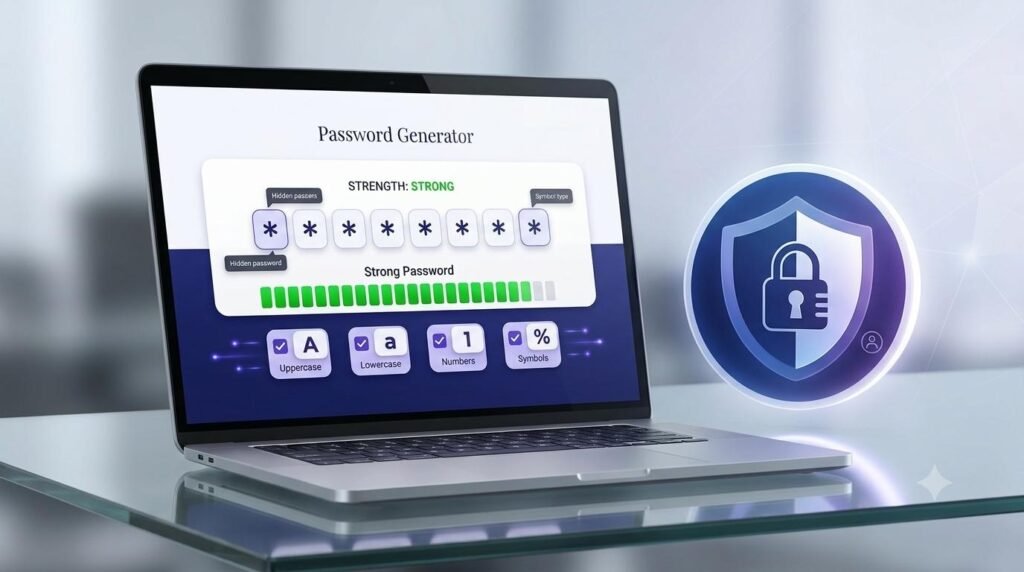
Select a password length between 8 and 64 characters. For important accounts, consider using a longer password, such as 16 characters or more, when the website allows it.
Step 3: Select Character Types
Choose the character combinations you want to include:
Uppercase letters
Lowercase letters
Numbers
Special symbols
Using a combination of character types can increase the variety of possible passwords.
Step 4: Exclude Similar Characters if Needed
Some characters can look alike, such as the uppercase letter O and the number 0. You can use the option to exclude similar characters if you find them difficult to distinguish.
Step 5: Generate and Copy Your Password
Generate a password using your selected settings. Review the estimated strength indicator and use the copy option to copy your new password.
Step 6: Save It Securely
Store the password in a trusted password manager rather than an ordinary text file or an unprotected note. Avoid sharing it with anyone.
Important Features of an Online Password Generator
A useful password generator should provide control over the password it creates. Here are some features to look for.
Custom Password Length
Different websites have different password requirements. A generator with adjustable length lets you create passwords that meet those requirements.
Uppercase and Lowercase Letters
Combining uppercase and lowercase letters increases the number of possible character combinations.
Numbers and Special Symbols
Numbers and symbols add further variety to a generated password, provided the website accepts those characters.
Exclude Similar Characters
This option can make passwords easier to read and type by avoiding characters that look alike.
Password Strength Indicator
An estimated strength indicator can help you understand whether your selected password settings produce a stronger combination. It should not be treated as a guarantee of account security.
Copy Password Option
A copy option makes it easier to transfer a generated password into the relevant account’s password field.
Common Password Mistakes You Should Avoid
Even a password that looks complicated can be risky if it follows a predictable pattern. Avoid these common mistakes.
1. Using Personal Information
Do not use your name, date of birth, phone number, or other easily available personal information as your password.
2. Reusing Passwords
Never rely on the same password for every online account. Create a separate password for each service.
3. Choosing Very Short Passwords
Short passwords generally offer fewer possible combinations. Use a longer password whenever the website permits it.
4. Using Predictable Patterns
Sequences such as 123456, password123, or repeated characters are poor choices because they are easy to predict.
5. Sharing Passwords
Avoid sending passwords through ordinary messages, emails, or social media chats. Keep your login details private.
6. Saving Passwords in Unprotected Files
A plain text document or spreadsheet without proper protection can expose your passwords if someone accesses your device.
Best Practices for Better Password Security
Creating a strong password is only one part of protecting an online account. Follow these practical habits:
Use a different password for every important account.
Prefer long, randomly generated passwords.
Store passwords in a trusted password manager.
Enable two-factor authentication whenever possible.
Never share passwords or verification codes.
Be careful with suspicious login links and phishing emails.
Change a password promptly if you suspect it has been exposed.
Use account security alerts and review unfamiliar login activity.
These practices can help improve your overall online security.
Is It Safe to Use an Online Password Generator?
An online password generator can be useful, but its safety depends on how it works and how you use it.
Arzoo Reviews’ Password Generator performs password generation in your browser using secure random generation. This means the password generation process takes place on your device rather than requiring you to submit a password to a server.
For sensitive accounts, always check how a tool handles data before using it. Avoid entering existing passwords into unfamiliar websites, and never share a generated password with anyone.
Who Can Benefit from a Password Generator?
A password generator can be useful for many types of users:
Students: Create separate passwords for learning platforms and email accounts.
Professionals: Protect work-related accounts and online services.
Business Owners: Use unique passwords for business tools and platforms.
Content Creators: Secure social media, publishing, and creator accounts.
Everyday Internet Users: Improve the security of shopping, entertainment, and personal accounts.
Anyone who uses multiple online services can benefit from better password habits.
Frequently Asked Questions (FAQs)
You can use an online password generator to create random passwords with uppercase letters, lowercase letters, numbers, and special symbols. Choose a suitable length and use a different password for each account.
A longer password is generally harder to guess. Consider using at least 16 characters for important accounts when supported, while following the website’s password requirements.
They can be safe when they use reliable random generation and handle passwords appropriately. Prefer tools that generate passwords locally in your browser and explain their data-handling practices.
No. Reusing passwords increases the risk that one compromised account could put other accounts at risk. Use a unique password for every service.
Special characters can increase password variety, but length and randomness are also important. Follow the password requirements of the website where you are creating the account.
Yes. A trusted password manager can securely store unique passwords and help you avoid remembering or reusing the same password across multiple accounts.
Yes. You can use the free Password Generator on Arzoo Reviews to generate passwords with customizable length and character options.
Conclusion
Strong passwords are an essential part of protecting your digital life. By using unique, long, and randomly generated passwords, you can make your online accounts more difficult to access without permission.
Learning how to Create Strong Passwords Online is a practical step toward better digital security. Use a reliable password generator, save your passwords securely, avoid predictable combinations, and enable two-factor authentication wherever possible.
Ready to improve your password security? Try the free Password Generator on Arzoo Reviews and create a password that matches your requirements.
You can also explore our Online Developer Tools Guide to discover more useful tools for everyday digital tasks.
Explore More Developer & Productivity Guides
Discover practical guides to make everyday digital tasks easier. Learn how to format JSON data, convert time between countries, and compare text using simple online tools.
Online Developer Tools Guide
Explore four useful online tools for JSON formatting, password generation, time conversion, and text comparison.
How to Format JSON Online
Learn how to format, beautify, validate, and minify JSON data with a simple online tool.
Explore More Digital Tools at DigiMarket
Looking for more useful digital resources and productivity solutions? Explore DigiMarket – The Marketplace for Digital Treasures to discover digital products, practical resources, and tools designed to support your online work and learning.
Whether you are exploring digital resources for business, marketing, or productivity, DigiMarket offers a growing collection of useful digital solutions.
Learn More with Prernaa
Want to improve your digital skills and learn practical ways to work smarter? Explore Prernaa – Inspiring Learning for useful learning resources, practical guides, and educational content.
Discover helpful information that can support your personal learning and digital growth.