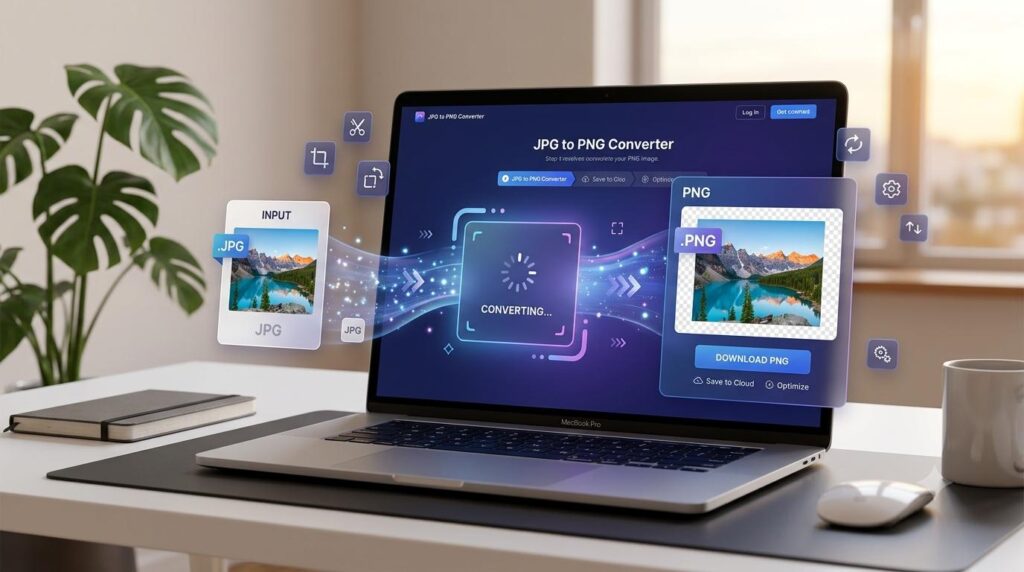
Convert JPG to PNG online when you need a PNG version of an image for websites, graphics, transparent backgrounds, editing, or other digital tasks. An online JPG to PNG converter can change an image format quickly without requiring complicated software.
Table of Contents
ToggleWhat Is the Difference Between JPG and PNG?
JPG and PNG are two common image formats, but they are designed for somewhat different purposes.
JPG is widely used for photographs and images where a smaller file size is important. PNG is often useful for graphics, screenshots, logos, illustrations, and images where transparency or lossless quality is important.
Choosing between the two formats depends on how you plan to use the image.
Why Convert JPG to PNG?
There are several reasons you may want to change a JPG image into PNG format.
PNG can be useful when:
- You need better support for transparent backgrounds
- You are working with graphics or screenshots
- You want a lossless image format
- You are editing an image
- A website or application requires PNG
- You want to preserve sharp text and graphic details
However, converting a JPG to PNG does not restore image quality that was already lost when the JPG was created.
How to Convert JPG to PNG Online
If you need to convert JPG to PNG online, an online image converter can complete the format change in just a few steps.
Using an online converter is usually straightforward.
Step 1: Choose Your JPG Image
Select the JPG or JPEG image you want to convert from your device.
Step 2: Upload the Image
Open a JPG to PNG conversion tool and upload your image.
Step 3: Convert the Image
Start the conversion process. The tool changes the image format from JPG to PNG.
Step 4: Download the PNG File
Once the conversion is complete, download the new PNG image and use it for your website, design, document, or other digital project.
You can use our JPG to PNG Converter for a quick format conversion.
JPG vs. PNG: Which Format Should You Use?
The right format depends on the type of image and how you intend to use it.
| Feature | JPG | PNG |
|---|---|---|
| Best for | Photos | Graphics and screenshots |
| Transparency | No | Yes |
| Compression | Lossy | Lossless |
| Typical file size | Smaller | Often larger |
| Text and sharp graphics | Good | Excellent |
For photographs, JPG is often more convenient because it can produce smaller files. For graphics and images requiring transparency, PNG may be a better choice.
Does Converting JPG to PNG Improve Image Quality?
Simply changing the file format does not automatically improve the original image quality.
If a JPG has already been compressed, converting it to PNG will not recreate missing image details. The PNG file may preserve the current image data without applying additional JPG compression, but it cannot recover information that was already lost.
For this reason, it is best to keep the original high-quality image whenever possible.
Is PNG Better Than JPG?
Neither format is always better.
PNG is useful for graphics, screenshots, illustrations, and transparent images. JPG is often better for photographs and situations where smaller file sizes are important.
The best format depends on your specific use case.
When Should You Use PNG?
PNG may be a good choice for:
- Website graphics
- Screenshots
- Digital illustrations
- Images with transparent backgrounds
- Text-heavy graphics
- Interface elements
- Images that need lossless compression
When Should You Keep JPG?
JPG can be a practical choice for:
- Photographs
- Travel images
- Product photos
- Social media photos
- Large image collections where file size matters
If your image is already suitable as a JPG and you do not need PNG-specific features, there may be no reason to convert it.
JPG to PNG for Websites
PNG can be useful for website elements such as screenshots, icons, illustrations, and transparent graphics.
You can convert JPG to PNG online when a website, design project, or digital platform requires the PNG format.
However, website performance also matters. PNG files can sometimes be larger than JPG files, so you should consider file size when choosing an image format.
For photographs used on websites, JPG may often be more efficient.
JPG to PNG for Editing
PNG can be useful during certain image-editing workflows because it supports lossless compression and transparency.
If you are editing a graphic that contains text, shapes, or transparent areas, PNG may be more suitable than JPG.
Frequently Asked Questions
Yes, you can convert JPG to PNG online using a free image conversion tool.
The conversion itself does not add another round of JPG compression. However, converting a low-quality JPG into PNG cannot recover image details that were already lost.
Yes. JPEG and JPG are commonly used extensions for the same image format, so a JPG to PNG converter can generally process JPEG images as well.
PNG can be useful when you need transparency, lossless compression, or sharper graphics such as screenshots and illustrations.
No. JPG is often more suitable for photographs and smaller file sizes, while PNG is useful for graphics, screenshots, and transparent images.
Try Our Free JPG to PNG Converter
Need to change an image format quickly?
Use our free JPG to PNG Converter to convert your image from JPG format to PNG format for your digital projects.
Explore More Free Image Tools
Arzoo Reviews also offers useful image utilities for resizing, compressing, and cropping images.
Image Resizer
Resize images quickly to the dimensions you need while keeping your images clear and ready to use online.
Image Compressor
Compress images to reduce file size while maintaining good quality for websites, social media, and online use.
Image Cropper
Crop images to the size and shape you need for websites, social media, profiles, and other online uses.
Free Tools & Utilities
Looking for more useful online utilities?
Explore Arzoo’s collection of free tools for calculations, text tasks, image processing, conversions, and other everyday digital needs.
More Free Tools from Prernaa Marketplace
Looking for practical tools for content creation, social media, YouTube, writing, productivity, and digital marketing? Explore the Free Tools collection at Prernaa Marketplace for additional online utilities.